// Recruitment Technology, Software Comparisons
10 Best Enterprise Recruitment Software Platforms for Multi-Office Agencies in 2026
Published: 11 August 2026,
21 min to read
Why enterprise recruitment software has to prove itself across offices
Enterprise has stopped meaning large. A 40-person agency in one city buys very different software from a 40-person group spread across four countries. The seat count matches. Nothing else does.
The hard parts at that size are structural. Permissions have to hold across offices without blocking collaboration. Reporting has to consolidate over separate legal entities. Contracts have to bill in the currency the client actually pays. Candidate data has to sit where your client’s compliance team expects it.
Every vendor demo runs on one office. The second office is where the operating model breaks, and nobody schedules a demo for that.
This guide ranks the best enterprise recruitment software for multi-office agencies on four conditions. Permissions across offices. Consolidated reporting over separate legal entities. Data residency by region. The implementation model each vendor uses.
We also name the platforms that are not ready for it. Several strong products here were built for one office with one P&L. Their own pricing pages show where that ceiling sits.
Top enterprise recruitment software for multi-office agencies in 2026
- Atlas
- Bullhorn
- Access Vincere Evo
- JobDiva
- Mercury
- Ceipal
- JobAdder
- Loxo
- Recruiterflow
- Recruit CRM
1. Atlas
Consolidated visibility is where most multi-office groups lose their week. That is the problem Atlas was built around. Atlas is an AI-powered CRM and ATS for agencies, and it uses agentic AI to strip admin out of the desk. Calls, emails, notes and meetings are captured automatically, so records stay current without anyone typing them up. For a group with several offices, that matters twice. Leadership sees the same numbers everywhere, and consultants stop rekeying candidates into a second regional database.
Reporting is built from a prompt rather than a ticket. Describe the view you want and Atlas builds the dashboard. Placements by consultant, pipeline by client, or gross profit by period all work. You can filter it, then cast it to an office screen. Contract desks get the same treatment, with starters, runners, finishers and gross profit tracked across regions. Contract creation is standardized, so group reporting reconciles. Migration is run by Atlas engineers, with a field mapping stage you sign off before anything transforms.
What are the key features of Atlas?
- AI-powered CRM and ATS in one system, so client and candidate history sit on the same timeline
- Agentic AI candidate search in plain language, with the criteria behind each shortlist shown
- Customizable dashboards built from a prompt, filtered by consultant, client, desk or period
- Leaderboards and fullscreen mode for casting live performance to any office display
- Total Memory that captures calls, emails, notes and meetings and makes them searchable
- AI note taker for interviews and intake meetings, written back to the record automatically
- Opportunities BD pipeline that scores prospects by closure probability with the context behind each score
- Multi-touch outreach campaigns built from real database context rather than generic templates
- Branded executive search reports and client-ready shortlists assembled inside the platform
- Contract portfolio views covering revenue, gross profit, starters, runners and finishers
- Standardized contract creation across teams and regions for cleaner group reporting
- Managed migration with mapping sign-off, custom transformation scripts and 300 or more automated data checks
- Mobile app for capturing in-person meetings, plus email and WhatsApp syncing
G2 Rating: 4.9 out of 5
Best for: Multi-office and multi-entity agencies that want consolidated reporting and no manual admin
Not a great fit for: In-house talent acquisition teams, and single-desk agencies looking for a low-cost basic ATS
Pricing: Book a demo for pricing based on your team size and number of offices
2. Bullhorn
Bullhorn is the incumbent in large agency recruitment. For contract-heavy groups it stays on every shortlist. The platform covers ATS and CRM, then extends into middle office, onboarding, invoicing and pay and bill. That is why global staffing firms with large contractor books tend to land here. More than 10,000 companies run on it, and the marketplace carries over 300 pre-integrated partners.
For multi-office operations, the draw is the back office and the VMS layer. Bullhorn connects to more than 110 vendor management systems. Job records import and update automatically, which matters when clients run requisitions through procurement tooling. The trade-off is commercial structure. Middle office, onboarding, messaging, analytics and the Amplify AI tiers are each quoted separately. A group price gets assembled module by module rather than read off a page.
What are the key features of Bullhorn?
- ATS and recruitment CRM covering candidate, client and submittal pipelines
- Middle office for timesheets, time interpretation, invoicing and pay and bill
- Onboarding with automated document delivery and compliance workflows
- VMS automation with 110 or more vendor management system integrations
- Marketplace of 300 or more pre-integrated technology partners
- Amplify AI tiers for search and match, screening, enrichment and transcription
- Recruitment automation with a visual workflow builder and data health rules
- Real-time analytics and configurable reporting on the enterprise plans
- SMS messaging and omni-channel candidate engagement as separate products
- Recruitment Cloud option built on Salesforce for global front-to-back operations
G2 Rating: 4.2 out of 5
Best for: Large contract and temp staffing firms with VMS-driven enterprise clients
Not a great fit for: Teams that want AI and back office included in one predictable per-seat price
Pricing: Published small agency plans start at $99 per user per month for Starter and $165 for Core, with all larger agency plans quoted
3. Access Vincere Evo
Modular pricing is the distinguishing feature of Access Vincere Evo, now part of The Access Group. More than 22,000 recruiters use it. The core product combines CRM and ATS with timesheets, portals, video interviewing and analytics. The AI layer is bought separately in packs rather than bundled into every seat.
That structure suits multi-brand groups that want AI switched on office by office. The core CRM and ATS license starts at £69 per user per month. AI Smart Packs are priced per agency per month, from £25 for Base up to £349 for Elite. Groups should confirm how packs apply when several trading entities share one instance. The per-agency model is where that question gets interesting.
What are the key features of Access Vincere Evo?
- CRM and ATS in one interface with configurable workflows by desk type
- AI Smart Packs covering candidate scoring, summaries, content creation and a copilot
- CRM automation and an enrichment agent on the higher AI packs
- TimeTemp for timesheets, expenses, invoicing and leave tracking
- No-code client and candidate portals for updates, onboarding and availability checks
- Vinneo video interviewing and outreach for faster screening
- Comms hub with embedded chat for internal collaboration
- Real-time analytics and reporting dashboards
- Documented migration support and a published data migration playbook
- GDPR-ready posture with ISO certification
Best for: Multi-brand agencies that want to add AI capability office by office
Not a great fit for: Groups that expect every AI feature inside the base user license
Pricing: Core CRM and ATS from £69 per user per month, with AI Smart Packs from £25 to £349 per agency per month
4. JobDiva
High-volume contract staffing is the home ground for JobDiva, which reports more than 40,000 recruiters on the platform. The product line runs from applicant tracking and contact relationship management through to onboarding and VMS synchronization. DivaFinancials handles the back office for billing and pay.
Regional coverage spans North America, the UK, EMEA and APAC. The platform stays open at the edges, with more than 100 built-in integrations plus an open API suite. Pricing runs through an RFP process rather than a public price list, so budgeting means a procurement cycle. Press hard on how reporting rolls up when branches operate as separate billing entities.
What are the key features of JobDiva?
- Applicant tracking with resume harvesting and advanced search
- Contact relationship management for client development and account handling
- DivaFinancials back-office suite for billing, invoicing and pay
- DivaVMS and VMS synchronization programs for enterprise client requisitions
- Onboarding automation across multiple hiring scenarios
- Reports, dashboards and BI tooling for branch and recruiter performance
- More than 100 built-in integrations plus an open API suite
- White-label applicant and hiring manager mobile apps
- Healthcare-specific staffing workflows
G2 Rating: 4.7 out of 5
Best for: Volume contract and temp desks running across branches and regions
Not a great fit for: Retained search boutiques that want a light footprint and fast setup
Pricing: Submit an RFP or contact the vendor for pricing details
5. Mercury
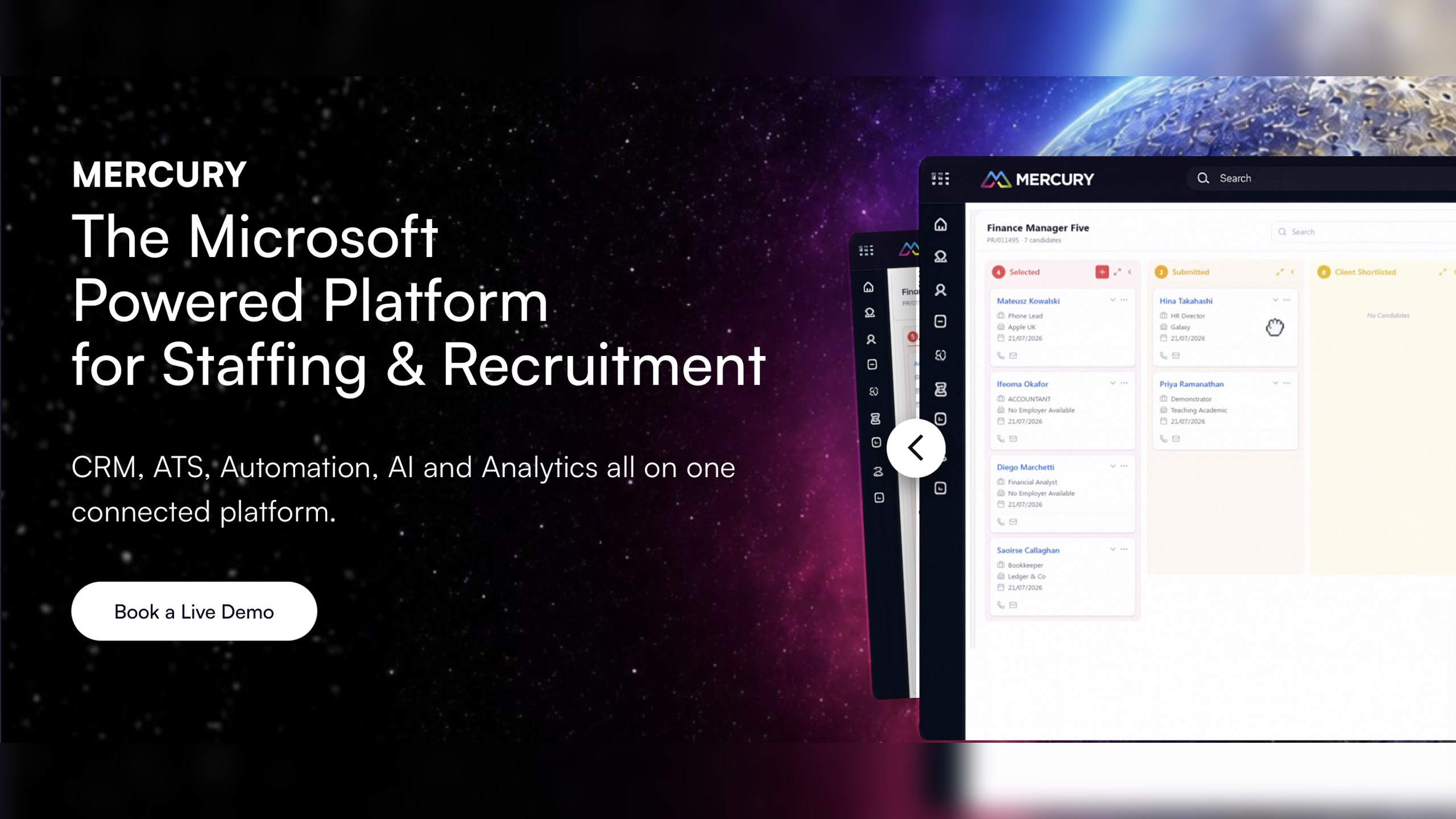
Groups already standardized on Microsoft will find Mercury the shortest path to an agency platform. It is built on Microsoft Dynamics 365 and the Power Platform. Analytics comes through Power BI, and Teams conversations sit inside the CRM. IT keeps one identity and security model rather than two.
The multi-office argument is explicit in the product. Mercury supports custom recruitment workflows set by brand and by region. Its middle and back office covers timesheets, staged fees, invoicing and compliance. The vendor says it supports multi-brand and global operations along with complex fee models. It also claims up to a 40% reduction in admin time. There is no published price list. Rollout runs through Mercury’s structured deployment and role-based training, which is a project rather than a signup.
What are the key features of Mercury?
- CRM and ATS built on Microsoft Dynamics 365 and the Power Platform
- Custom recruitment workflows configured by brand, region or discipline
- Middle and back office covering placement to payment, timesheets and invoicing
- Support for multi-brand, global and complex fee models
- Compliance controls across contract, temp and perm recruitment
- Mercury Analytics built on Power BI with role-based dashboards
- Microsoft Copilot integrated through Dynamics 365 and the Power Platform
- Microsoft Teams conversations logged against CRM records
- Structured deployment and role-based training services
Best for: Microsoft-centric groups with several brands and an internal finance function
Not a great fit for: Agencies without Microsoft administration support or an appetite for a configuration project
Pricing: Contact the vendor for pricing details
6. Ceipal
Supplier-heavy operations are what Ceipal is shaped for. It pairs a global ATS with a vendor management system and workforce management. The company reports more than 2,500 clients and over 200,000 recruiters and hiring managers on the platform.
For a group placing contingent workers through multiple suppliers, that combination removes a category of reconciliation work. Healthcare teams also get credentialing and compliance tooling alongside invoicing. Regulated placements stay in the same system as the pipeline. Pricing is not published, so the commercial conversation starts with a demo request. Script the multi-entity reporting question into that call.
What are the key features of Ceipal?
- Global applicant tracking system with AI matching
- Vendor management system for staffing supplier governance
- Workforce management for extended and contingent workforces
- Recruiter Assistant AI that mirrors recruiting workflows
- Credentialing and compliance module for healthcare staffing
- Invoicing and financial management tooling
- Job board integrations and bulk resume handling
- Custom reports and dashboards for team and individual performance
- Self-guided product tours before a sales conversation
G2 Rating: 4.7 out of 5
Best for: IT and healthcare staffing groups managing suppliers and contingent workforces
Not a great fit for: Perm search firms whose value sits in relationship-led business development
Pricing: Contact the vendor for pricing details
7. JobAdder
Configurable workflow without a heavy IT lift is the pitch for JobAdder. Mid-to-large agencies in ANZ and the UK make up much of its base. Plans are banded by team size. Recruiter Lite is capped at five users, Recruiter Essential targets six to 20, and Recruiter Pro starts at 21.
Read the add-on column closely before committing a group. Single sign-on is sold as an add-on rather than included. API access with a sandbox is limited to contracted customers, free on Pro and unavailable on Lite. Pricing itself is quoted as a tailored proposal. Pro does bring named success management, advanced automations, custom dashboards and a sandbox environment. Group-level finance consolidation is not the platform’s center of gravity.
What are the key features of JobAdder?
- ATS and recruitment CRM with multiple custom workflows on higher plans
- Native job posting to more than 200 job boards globally
- Adder Intelligence AI features including smart summaries and smart sync
- Roi-AI advanced automations for database hygiene, marketing and business development
- Pro dashboards covering benchmarks, business performance and recruitment efficiency
- Temp and contract management with talent pooling
- Hiring manager portal as an add-on for client collaboration
- Single sign-on and dedicated IP address as paid add-ons
- Sandbox environment on Pro for safe configuration testing
- Over 100 integration partners across the recruitment stack
Best for: Mid-to-large agencies wanting configurable workflows without a technical project
Not a great fit for: Groups that need consolidated multi-entity finance inside the same system
Pricing: Request pricing from the vendor for a tailored proposal
8. Loxo
Sourcing is where Loxo earns its place. The platform combines an ATS, a recruiting CRM, outreach campaigns and a talent graph of over 850 million profiles. Search-led teams that live in outbound get real value from the AI agents and the Chrome extension.
The enterprise questions land in the pricing table. Loxo publishes a free single-user plan and a Basic plan at $169 per user per month. Professional and Enterprise are both quoted. Single sign-on, SAML, SOC 2 Type II reporting and custom AI configuration appear only on Enterprise. The talent graph starts at Professional. G2 reviewers repeatedly flag limited customization and the lack of separation between contacts and candidates. That is a live issue for groups running distinct client-side data by region.
What are the key features of Loxo?
- ATS and recruiting CRM with a drag and drop pipeline
- Loxo Source talent graph covering more than 850 million profiles
- AI agents for contact finding, submittals and self-updating records
- Omnichannel outreach campaigns with automation
- AI notetaker for interview capture
- Hiring manager portal and candidate status reports for clients
- Sales CRM with account-based prospecting for business development
- Business, team and job level reporting
- SSO, SAML and SOC 2 Type II reporting on the Enterprise plan
- Integration to HCM or a separate ATS on Enterprise
G2 Rating: 4.6 out of 5
Best for: Sourcing-led search teams operating from one or two locations
Not a great fit for: Multi-entity groups that need consolidated financial reporting out of the box
Pricing: Free plan for one user, Basic at $169 per user per month, with Professional and Enterprise quoted
9. Recruiterflow
Recruiterflow pitches AI-native tooling with agency depth. Search firms standardizing one process across a few offices pick it often. The Platform plan carries ATS, CRM, multichannel sequences, automation, reporting and API access at $149 per user per month. The pricing page lets you switch currency.
The AI layer sits above that. The AIRA plan is custom priced and adds a notetaker, a matchmaker, job change alerts and submission agents. Client and team access control is included from the Platform plan, which covers basic office separation. There is no middle or back office for timesheets and invoicing. Contract-heavy groups will need a finance system alongside it.
What are the key features of Recruiterflow?
- ATS and CRM with client and team access control
- AIRA Search for natural language candidate search
- AIRA Source across a large external profile database
- AIRA Notetaker for automatic call summaries
- Job change alerts when candidates move roles
- Multichannel outreach sequences with sales automation
- Recruitment and sales automation recipes
- Goals and leaderboards for team performance
- Custom BI dashboards on the AIRA plan
- Open API access on the Platform plan
Best for: Search firms standardizing one process across a handful of offices
Not a great fit for: Groups needing multi-entity billing, timesheets and payroll in the same platform
Pricing: Platform plan at $149 per user per month, with the AIRA plan custom priced
10. Recruit CRM
Speed of rollout is the strongest argument for Recruit CRM. It serves agencies and search firms in more than 100 countries. The product covers ATS and CRM, timesheets, a website builder and AI agents for submissions and formatting. Teams get productive quickly, and the per-seat model is easy to forecast.
Enterprise controls are tiered, and the tiers are published, which makes evaluation straightforward. Audit logs, single sign-on, IP whitelisting and open API access all begin on the Business plan. The Pro plan is capped at 15 custom fields and a single hiring pipeline. The paid migration service is quoted per dataset and takes 10 to 14 business days. For a group with several entities on one database, those limits are the first constraint to test.
What are the key features of Recruit CRM?
- ATS and CRM with a Kanban pipeline view
- AI agents for candidate submission, resume formatting and custom field parsing
- AI sourcing, matching and GPT-assisted content
- Email sequencing and bulk texting from the Business plan
- Timesheets, invoicing and contractor pay
- Executive search report generator
- Custom roles and teams, audit logs and SSO from the Business plan
- Workflow automation and advanced analytics on Enterprise
- LinkedIn messaging integration on Enterprise
- Website and career page builder
G2 Rating: 4.8 out of 5
Best for: Mid-sized agencies that want fast adoption and predictable per-seat cost
Not a great fit for: Enterprise groups needing consolidated reporting across separate legal entities
Pricing: Contact the vendor for pricing details across the Pro, Business and Enterprise plans
What is enterprise recruitment software?
Enterprise recruitment software is the system of record a large agency runs its whole operation on. It combines an applicant tracking system, a recruitment CRM, analytics and back-office workflow in one platform. For agency groups, the defining test is narrower. Can one instance serve several offices and several legal entities without fragmenting into separate databases?
That test gets failed more often than vendors admit. 56.16% of agency recruiters describe their technology setup as functional but fragmented, and 19.18% name poor system integration as their biggest operational blocker. Fragmentation is an irritation in one office. Across six, it compounds. Each office quietly builds its own workaround, and the group loses one version of the truth.
Commercially, the pressure sits on operating leverage rather than demand. The US staffing market is forecast to grow 1% in 2026 to reach $180.2 billion. Margin has to come from how the business runs. That is why a fragmented recruitment tech stack is now a board topic rather than an IT one.
- One searchable database that every office contributes to and draws from
- Role-based permissions that reflect brands, desks and regions
- Reporting that consolidates across entities without manual assembly
- An implementation and migration model the vendor will put in writing
Multi-entity, multi-currency and data residency in practice
Multi-entity means separate legal companies sharing one platform. Each carries its own invoices and fee models, and each reports its own P&L. Those numbers then roll up into a group view. Multi-currency means a contract bills in the currency the client pays, while group reporting still totals correctly. Data residency means knowing which region your candidate records physically live in. You need that answer for a client security questionnaire, without guessing.
These are the questions procurement teams ask, and they carry legal weight. Sharing candidate data between offices in different countries can count as a restricted transfer under UK data protection rules. The receiving office then needs an appropriate safeguard in place. A platform with one global tenant and no regional options makes that conversation harder.
Watch how each vendor answers the entity question specifically. Some model a group as one company with tags. That reports beautifully until finance needs statutory numbers per entity. Others model separate instances, which keeps the accountants happy and splits your database. Splitting it defeats the point of a shared AI-powered recruitment CRM.
What to look for in enterprise recruitment software
Rank vendors on the capabilities that only bite at multi-office scale. Six areas separate a platform that scales from one that merely holds more records.
Permissions that map to your org chart. Consultants need to collaborate on shared candidates. Client ownership, fee splits, PSL access and confidential searches still need control. Ask to see role creation live. Then ask what a regional director can see that a consultant cannot. Vague answers here become access tickets later.
Consolidated reporting across entities. Leadership needs one view of billings and pipeline by office, desk, consultant and period. It has to arrive without a monthly rebuild. Atlas takes a prompt-led approach here. Describe the breakdown you want, and customizable dashboards are generated in seconds, then filtered or cast to an office screen.
Currency and billing at contract level. Contract and temp desks are where multi-entity operations get expensive. Every agreement carries a rate, a margin, a currency and an owning entity. A group needs contract portfolio visibility covering revenue, gross profit, starters, runners and finishers. Standardized contract setup across teams and regions is what makes the group numbers reconcile.
Data residency and security controls. Confirm where data is hosted and which certifications the vendor holds. Then confirm which plan those controls sit on. In this lineup, single sign-on and SOC 2 reporting appear only on top tiers at Loxo. They start on the Business plan at Recruit CRM, and they are a paid add-on at JobAdder. A platform that charges extra for single sign-on is telling you which customer it was built for.
An implementation model you can name. Ask who does the work, how long each stage takes, and what you sign off. Atlas runs data migration with a mapping stage you approve before transformation. Custom scripts are written for your dataset. Between 30 and 40 automated tests run per table, adding up to 300 or more checks.
AI that removes admin instead of adding a tab. The value shows up in delivery speed. Novify reports 96% faster shortlist delivery and 20 or more hours saved every month after moving to Atlas. Ethea Solutions, which covers the Asia-Pacific region, reports 500% more business development output and 50% higher response rates. Look for AI agents that write back to records on their own.
The platforms that are not ready for multi-office operations
Four platforms in this lineup are strong products that are not built for multi-entity groups. Their own documentation says so. Naming them is more useful than a diplomatic ranking, because each is an excellent fit somewhere else.
Loxo gates single sign-on, SAML, SOC 2 Type II reporting and custom AI configuration to its Enterprise plan. Its reviewers also report limited separation between contacts and candidates. Recruit CRM caps the Pro plan at 15 custom fields and one hiring pipeline. Audit logs and open API access start a tier higher. Recruiterflow carries no middle or back office, so timesheets and invoicing live elsewhere. JobAdder bands plans by seat count and sells single sign-on as an add-on.
None of that makes them weak. It makes them single-P&L products. A group that buys one will run a second system for finance. That is the fragmentation you were trying to solve.
- Enterprise security controls sold only on the top tier
- Field and pipeline limits that a multi-brand group hits early
- No native back office for timesheets, billing or pay
- Seat-banded plans priced for one office rather than several entities
Choosing enterprise recruitment software for your needs
Shortlist on structure first and features second. Two platforms with identical feature lists behave differently once a second entity and a second currency arrive.
Run the same questions past every vendor, then compare the answers side by side. Adoption is the other half of the decision. CRM adoption fails at agencies far more often through rollout than through missing functionality. Ask about training by role and by office.
- How do you model separate legal entities in one instance, and what does group reporting look like?
- Can a contract carry its own currency, and does group reporting convert automatically?
- Which regions can host our data, and what certifications cover them?
- Is single sign-on included, and on which plan do audit logs appear?
- How are permissions structured for offices, brands and confidential searches?
- Who performs the migration, what do we sign off, and how many validation checks run?
- Which AI capabilities are in the base license, and which are priced separately?
- What does implementation cost, how long does it take, and who leads it on your side?
- How is training delivered by role, and what does adoption look like at 90 days?
- What are the renewal terms, and what happens to our data if we leave?
How your offices stop working as separate businesses
The right platform changes what the week looks like. Monday no longer starts with a report request, because every office’s numbers are already live. Consultants stop rekeying candidates that a second regional database already holds. A shared shortlist reaches the client on the day the brief lands.
That shift is what agentic AI makes possible, and it is the foundation Atlas is built on. The platform captures the conversation and updates the record on its own, and leadership gets one consolidated view across every desk. Bullhorn and Mercury stay credible for groups anchored to a back office or a Microsoft estate. Several tools here suit a single-office firm better.
If your offices reconcile numbers today instead of comparing them, that is the gap worth closing first.