









// Recruitment Technology
Why CRM Adoption Fails at Recruitment Agencies, and How to Fix It
Published: 25 June 2026,
7 min to read
The bottom line
Most CRM switches do not fail during the data migration. They fail months later, when consultants drift back to spreadsheets and their inbox because the new system feels like more work than the old one. Agencies that get this right choose a platform that earns its keep by removing admin, so recruiters stay productive from the first week.
The real reason new systems stall after go-live
The migration gets all the planning. Budgets, data mapping, project timelines, sign-off.
That is rarely where things go wrong. CRM adoption is what decides whether the investment pays off, and it plays out long after the data has landed. A system can hold every candidate record, every client note, and every live role, and still gather dust if consultants cannot beat their own workarounds with it. Poor user adoption is the leading reason CRM implementation projects fall short, with failure rates put at anywhere from 20% to 70% (demandsage).
For an agency, an unused CRM is billings left on the table.
These breakdowns are well mapped in the common mistakes agencies make when switching systems, and a few of them are about the technology.
Why do experienced consultants resist a new system?
Because change has a real cost, and your best billers feel it first. A consultant on a warm desk has years of muscle memory in the current tool. They know where everything lives and how to move fast in it. Asking them to relearn that while hitting the same targets feels like a tax on their week.
The resistance is rational.
Most legacy systems make recruiters feed the database by hand. Logging calls, updating stages, tagging candidates, and writing up notes after every conversation. That manual data entry competes directly with the work that makes placements, so it gets skipped. More than four in ten CRM users end up relying on only half or fewer of the features they pay for (demandsage), because the parts that demand manual upkeep quietly get abandoned.
Analysts have a blunt way of putting it. Around 70% of CRM rollouts fall short of expectations, and the gap is a change-management problem far more than a software one (Vantage Point).
So the real question is not whether consultants can learn a new system. It is whether the system gives them a reason to want to. A tool that captures calls and meetings on its own, through something like an AI note taker, changes that math.
How do you switch without a productivity cliff?
You keep the team working while the data moves. A guided migration runs in the background and hands recruiters a system that is ready on day one, not a half-built shell they have to finish themselves.
The proof is in how quickly teams get going again.
Built on agentic AI that clears admin in the background, Atlas is an AI-powered recruitment CRM designed so consultants keep billing right through the switch. When Ocean Red Partners moved across, they cut a typical six-week migration to one or two weeks, had their lead recruiter fully onboarded within a week with no downtime, and lifted billing by 85% once the team settled in (Ocean Red Partners).
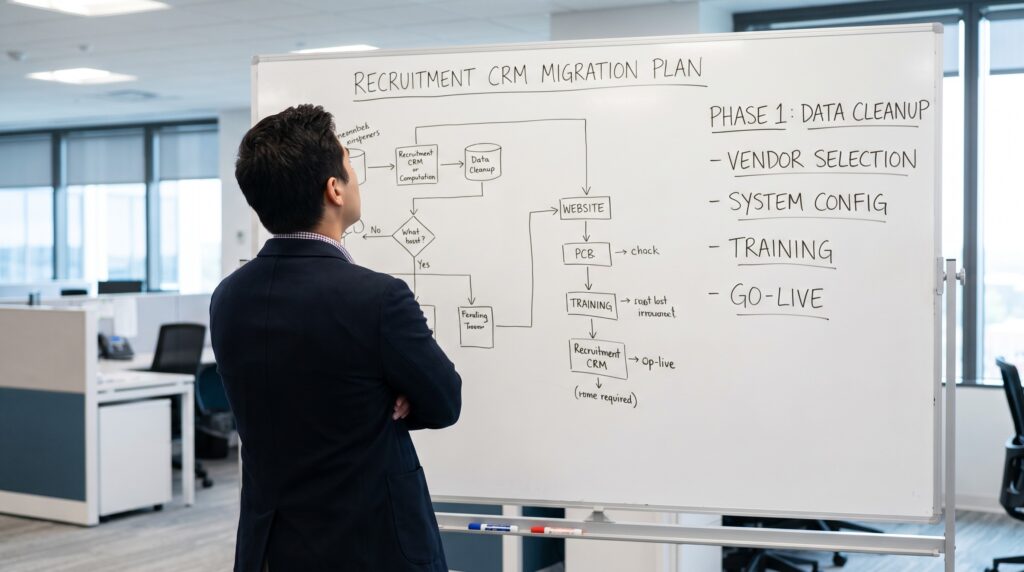
That outcome starts with planning the move properly. A clear CRM migration process protects your data and keeps live roles moving while the switch happens.
What a low-disruption switch looks like in practice:
- Live access to your current system until the new one is ready, so there is no blackout period
- Careful field mapping, so candidate records, client notes, communications, and custom fields keep their context
- A sandbox review of the migrated data before anything goes live
- Onboarding that has recruiters working in days, with support on hand when they need it
A clean checklist makes the whole thing calmer, and a good migration plan removes most of the guesswork.
What makes adoption stick once the switch is done?
Less admin than before. That is the test that matters. If recruiters do measurably less manual work on the new platform than the old one, adoption looks after itself.
The results back this up.
When the tool does the heavy lifting, even a new hire on a cold desk can contribute fast. Origio Partners brought in a recruiter from outside their sector who got productive quickly by learning in the flow of work, rather than stopping to study the system (Origio Partners). Process tells a similar story: onboarding felt about as simple as signing up for a LinkedIn account, adoption spread across the team without a fight, and they closed their first year at 130% of target while freeing roughly five hours a week per recruiter (Process).
This is what good CRM adoption looks like from the inside. An easy to use CRM that reads the database for recruiters and surfaces the right people, rather than asking them to build Boolean strings, turns the system into something they reach for by choice. For agencies weighing the best recruitment software for agencies, that pull is the whole game.
Frequently asked questions (FAQs) on CRM adoption
CRM adoption is the degree to which your recruiters actually use the system as their main way of working, rather than keeping notes in spreadsheets or their inbox. High adoption means client and candidate data lives in one place, so the whole desk can see it. It is the difference between a CRM that drives billings and one that becomes an expensive filing cabinet.
With a modern provider, most migrations run in a few weeks rather than a few months, and some move faster. The timeline depends on the size of your database and how clean the records are. A guided process keeps your current system live until the new one is ready, so there is no blackout period for the team.
It should not, if the migration is handled properly. Your data, including candidate records, client notes, communications, and custom fields, is mapped and tested in a sandbox before anything goes live. Recruiters keep working in the old system until the cutover, which protects active placements and pipeline through the move.
Usually, because the new system feels like more admin, not less. Experienced consultants have muscle memory in their current tool, and any switch that asks them to log more by hand will meet resistance. The fix is a platform that captures calls, emails, and meetings automatically, so the system fills itself.
Pick a system that removes manual work, then support the team through onboarding. A clear adoption strategy pairs role-specific training with quick wins that consultants feel in their first week. When the tool saves time on day one, adoption follows without much pushing.
Look for automation that removes repetitive data entry, search that reads your whole database, reporting your clients can actually use, and support that responds fast. The best CRM for recruiters is the one your team chooses to open every morning. Ease of use and low admin matter more than a long feature list nobody touches.
The switch that finally sticks
CRM adoption stops being a fight when the software does the work a recruiter would otherwise do by hand. Agentic AI sits in the background, capturing calls and emails, updating records, tagging candidates, and surfacing the next action, so the database stays current without anyone feeding it.
That is the engine behind Atlas, whose AI agents keep your data live on their own, which is why teams pick it up quickly and keep using it long after the move is done. If your last system switch lost momentum once the data landed, the next one does not have to.