













// Recruitment Technology, Software Comparisons
Stop writing interview notes now! Choose from 6 Best tools for 2025
Published: 08 April 2025,
12 min to read
Taking notes during an interview pulls your attention away from the candidate. A typical job interview runs 30 to 45 minutes. With several executive-level calls in a day, capturing and recalling the key details gets hard fast.
That’s why more recruiters now rely on tools that record and transcribe interviews, then summarize the notes for them. Note-taking tools with AI-powered features are seeing especially fast adoption.
Below are the six best interview note-taking tools to consider in 2025. For each one, we cover the pros, cons, user reviews and the case for choosing it.
For a deeper look, we also compared nine leading note-taking tools under identical conditions. This article goes past the basics, covering transcription quality, AI-powered summaries, smart assistant features and overall design.
1. Atlas
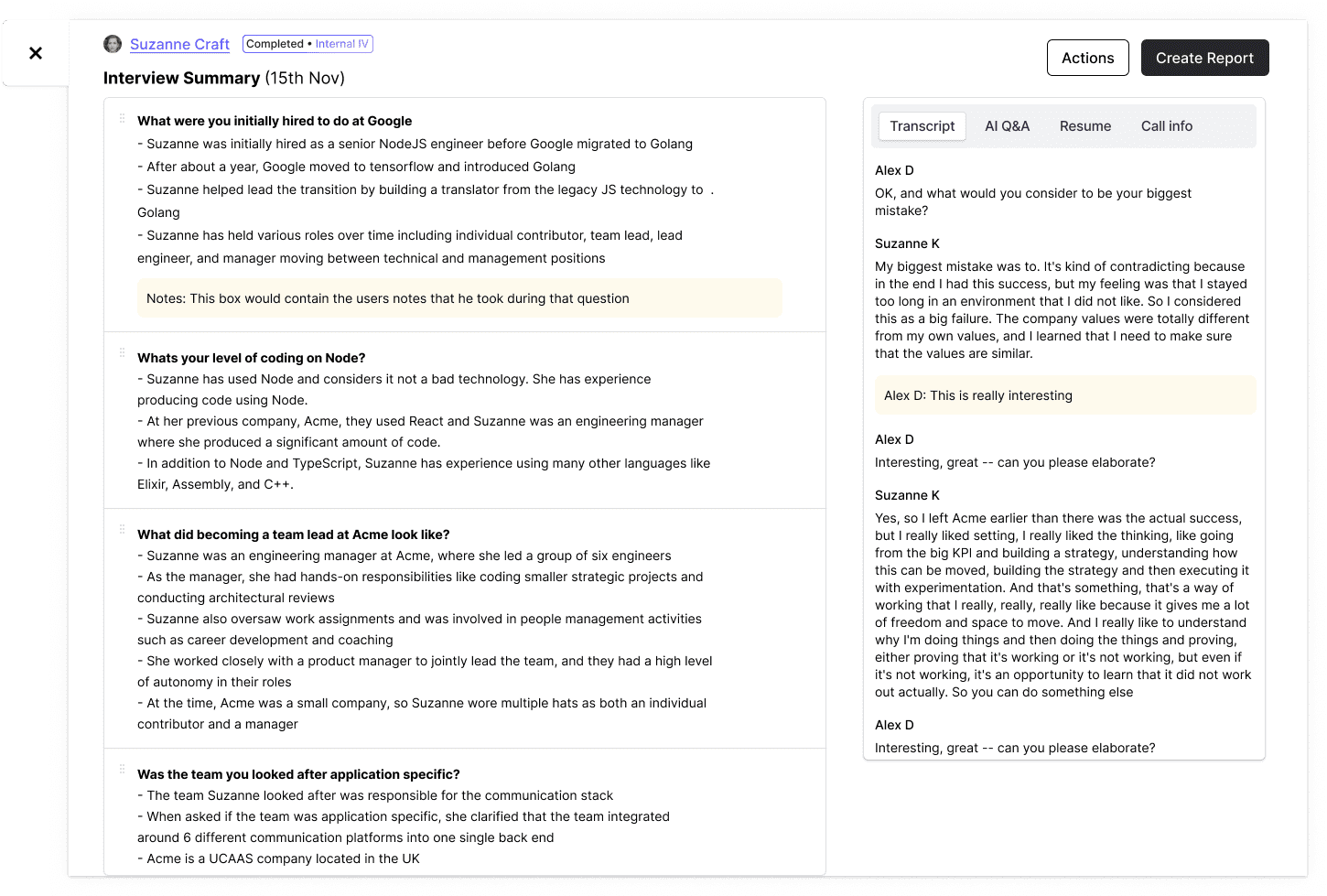
Atlas Interview AI delivers full interview notes within minutes of a call ending, covering every question and every answer. You also get a highly accurate transcript and the option to record, so no essential detail slips through.
Pros
- Search goes beyond resumes. Every interview feeds into our search platform, so you can find any conversation by keyword.
- Customizable templates adapt to any document requirement and work across the whole Atlas platform for easy recall.
- Enterprise-grade security keeps sensitive data protected.
Cons
- Interview analytics and reporting are basic for now, with further development planned.
- As with most AI transcription tools, occasional inaccuracies can occur, though accuracy improves as the training data grows more diverse.
Pricing
- Atlas Basic: £105 per user/month
- Atlas Premium: £135 per user/month, adding verified mobile numbers and personal emails through Contact Enrichment
- Agency & Enterprise: custom pricing for agencies with ten or more desks
- Every plan runs on a 12-month commitment, and paying yearly saves 17%
Why choose Atlas?
Atlas is a strong pick if you want a reliable, easy-to-use tool that keeps interview notes organized. Its AI note-taking saves valuable time during interviews and lets you recall anything that was said or written.
Why you would love the Atlas AI Interview feature
- Without the distraction of note-taking, you can give the interview your full focus. That leads to better conversations and sharper candidate assessments.
- When a client wants clarification on a candidate, you can put the question to Atlas and get an answer.
- Key candidate details such as salary, notice period and preferences save to the profile automatically, cutting manual notes and admin.
- A more attentive interview experience can influence whether a candidate accepts the offer.
- Because every interview is stored and searchable, the tool adapts as job scopes and client requirements change.
- Better candidate presentation to clients and a smoother recruitment process both raise your chances of a successful placement.
- Atlas AI fits into your existing workflows, keeping disruption low and productivity high.
- AI-powered interview notes help position your agency as an innovative, high-value partner to clients.
Still typing every word in an interview? That can be distracting!
Focus on quality interactions and easily recall all those important interview notes.
Have a great conversation while our platform generates all the notes for you!
Learn more about Atlas Interview AI
2. Metaview
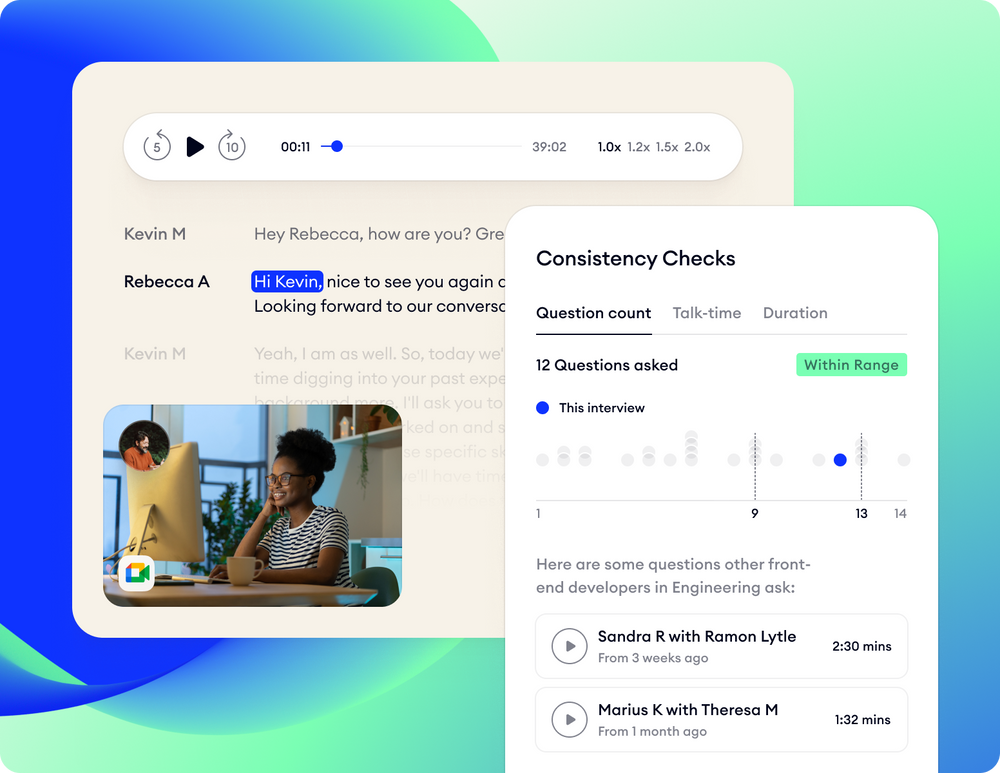
Metaview describes itself as a “conversation analytics platform.” It’s a note-taking tool that produces automated summaries and feedback from job interviews.
Pros
- Uses AI to surface actionable insights from your interviews
- Produces concise summaries, so you spend less time reviewing long transcripts
- Integrates with popular ATS and CRM systems
Cons
- May be expensive for smaller companies or individual users
- Learning every feature can take time
- Automated feedback takes some getting used to compared with traditional feedback
Pricing
- Free plan – For individuals – recording and transcribing of 5 calls is free
- Core plan – $26 per user / month billed monthly or $20 billed annually
- Pro plan – $60 billed monthly per user / month billed or $50 annually
Why choose Metaview?
Metaview suits hiring managers at medium to large organizations who want in-depth analysis and AI-driven insights. Its automated summaries save serious time, leaving you free to focus on the hiring decision itself.
Metaview: Positive user feedback
- Metaview works smoothly with any interview software and delivers high video quality.
- Users single out its impartial, external feedback, which helps them learn by cutting through internal bias. It suits experienced interviewers and newcomers alike, reinforcing strong habits and teaching basics like open-ended questions and follow-ups.
- Setup is simple, so you can interview with confidence knowing everything is recorded and transcribed. The team is also very responsive on Slack.
- Reviewers would like interview playbooks built into Metaview for grading and improvement.
- Its coaching benefits make interviews more effective, leading to sharper questions and deeper candidate insight.
Metaview: User pain points
- Users report that Metaview underperforms in technical interviews. It may handle behavioral interviews well, but in long technical sessions it can fail to capture notes, so users still take their own.
- Metaview is meant to save time on note-taking, though some users feel it hasn’t delivered on that yet. Being recorded can feel slightly off-putting at first, but that usually passes quickly.
- Automated feedback feels different from traditional methods and needs an adjustment period.
- Some users wish Metaview would write interview questions for them. It does help rework poorly phrased questions to draw out better answers.
3. tl;dv
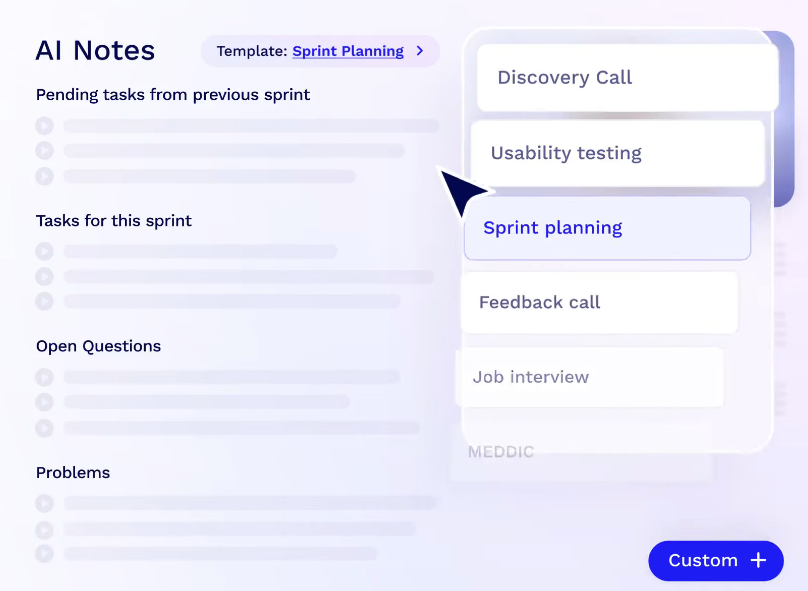
tl;dv is an AI meeting assistant that records and transcribes your calls, then summarizes them and generates insights. If meetings are piling up, it can turn messy discussions into clear, coherent interview notes.
Pros
- Very user-friendly, so teams adopt it quickly
- Timestamps make it easy to mark key moments in an interview
- Accurate meeting notes and summaries
Cons
- Lacks some of the advanced features other tools offer
- Less customizable than some alternatives
- Analyzing or reviewing manually uploaded recordings takes time
Pricing
- Free plan – Unlimited recordings and transcribing for individual users and small teams
- Pro plan – $29 per seat/month/billed monthly or $18 billed annually
- Enterprise plan – custom pricing
Why choose tl;dv?
tl;dv is a great fit if you want a simple, no-fuss way to capture and highlight key points in interviews. It’s affordable and easy to use, which makes it a natural choice for small businesses and startups.
tl;dv: Positive user perspectives
- You can join the discussion fully without worrying about notes.
- The AI generator and AI reports make it easy to analyze interviews and manage your time.
- AI summaries keep you in the loop even when you miss an interview.
- Timestamp linking stands out, letting you jump to the exact moment in a recording to verify information.
- Notes and summaries stay accurate, even with non-native English speakers.
- Uploading a meeting and getting a summary is quick and convenient.
tl;dv: Areas of improvement
- Analyzing manually uploaded recordings can be tricky. The tool struggles to identify participants, which affects both the transcript and the AI report. It isn’t a dealbreaker, but it does add time to interview analysis.
- Users would like more ways to tailor the experience, such as blocking recording or sharing for one-on-one meetings.
- There’s no Google Calendar preference for choosing which interviews the note-taker joins.
- It doesn’t detect languages automatically, so it may try to transcribe a Japanese meeting with English settings. You then need to re-transcribe for an accurate summary, which costs time. The AI also sometimes struggles with accents, though this should improve.
- The AI note-taker joins Google Meet as an extra participant, which can feel intrusive at first, though most users get used to it.
- It occasionally misreads words or phrases, producing inaccurate transcripts. These issues are usually manageable and should improve over time.
- Meeting notes sometimes load slowly, though this may come down to your computer or connection.
4. Aspect
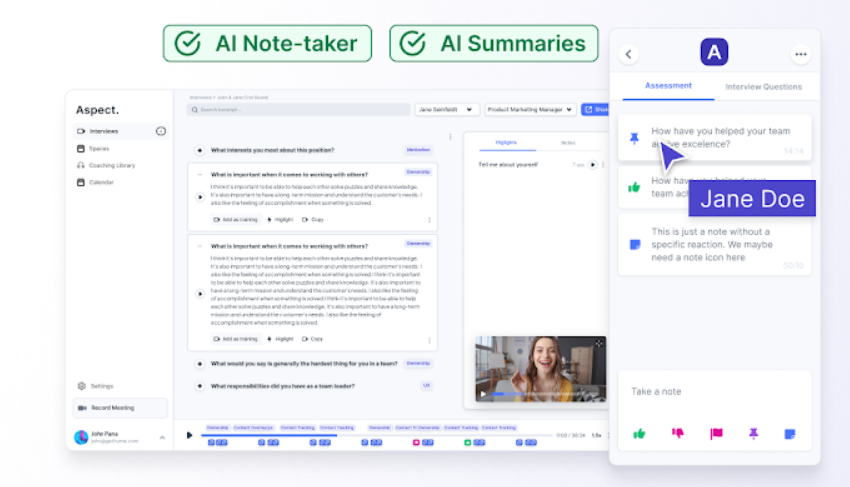
Aspect creates short highlight reels you can share with your team and clients, which leads to faster, better decisions and hires.
Pros
- Teams can collaborate and take notes in real time
- Detailed analytics track interview performance
- You can build and use templates tailored to your needs
Cons
- May feel like too much for users who want a basic tool
- Sometimes fails to join meetings to record notes
- Pricing sits at the higher end and may not suit every business
Pricing
- Single Recruiter plan – Flat price of $49 USD per month
- Starter plan – For 0-100 interviews per month a flat price of $599 per month
Why choose Aspect?
Aspect is ideal for organizations that value collaboration and detailed analytics. If your hiring process is team-based and you want customizable templates to streamline interviews, it’s worth a look.
Why users like Aspect
- Aspect is built for recruitment, unlike general transcription tools, so there’s no need for workarounds.
- It connects easily to your Zoom Pro account, and you can use it for live meetings with a simple file upload.
- It provides automatic summaries and suggested next steps across interviews, coaching calls and discovery calls.
- Live transcription during the interview lets you give the candidate your full attention.
- Summaries, Q&A and ATS integration boost productivity and reduce the stress of context switching.
- Analytics give full visibility over your stats.
- The Aspect team is very helpful, friendly and easy to reach.
Aspect: Key challenges
- A companion app is a noticeable gap, though uploading files from live meetings reduces the need for one.
- As with any software, getting your team to change its hiring process can be challenging.
- The Hume companion occasionally fails to join meetings, even when allowed in.
- It only works in English.
5. BrightHire
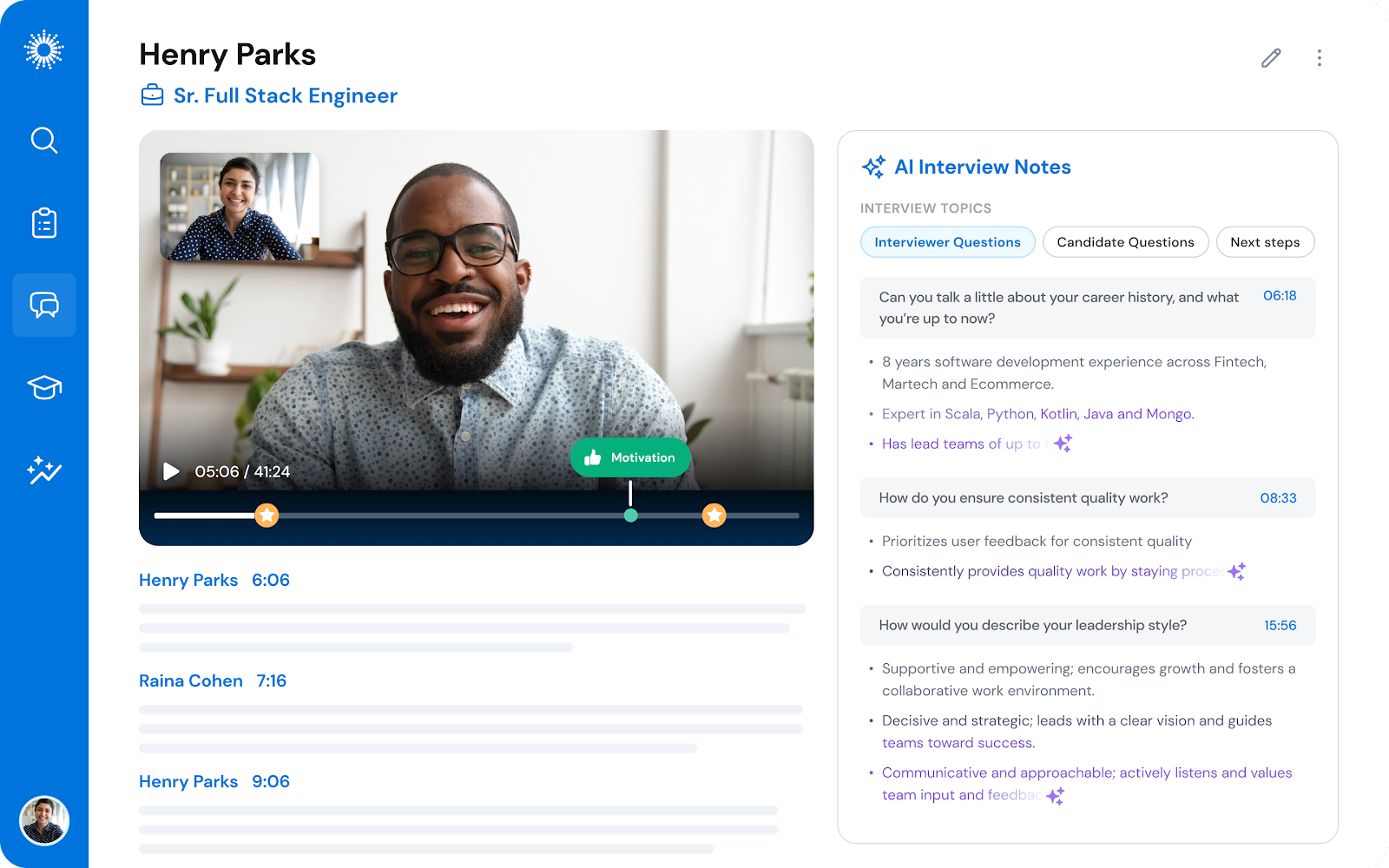
BrightHire is an interview intelligence platform for managing, sharing and analyzing interview notes for training and improvement.
Pros
- Records interviews so you can review them later
- Delivers accurate transcriptions
- Simple, intuitive design
Cons:
- Recorded interviews need a lot of storage
- The AI note-taking isn’t very accurate when importing notes
- Steep learning curve for less technical users
Pricing plan available on request.
Why choose BrightHire?
BrightHire is a strong choice if recorded interviews and detailed transcripts are central to your hiring process. It’s especially useful for teams running high interview volumes that need reliable records.
What users like best about BrightHire
- It’s easy to use and slots neatly into your recruiting workflow.
- You can give candidates your full attention without worrying about notes, which improves the candidate experience.
- You can revisit interviews afterward and get specific feedback on details you may have missed.
- The AI summaries are helpful and offer useful insight into the interview process.
- It integrates with existing hiring tech stacks, making onboarding smooth.
- AI notes and summaries help users feel more confident and stay focused on the conversation.
- The design is user-friendly and unobtrusive, so conversations stay natural.
- Time spent on scorecards drops while every detail is still captured. Hiring managers get more room for meaningful consideration and a more complete, concrete view of each candidate.
User critiques and concerns of BrightHire
- It can’t split back-to-back interviews into separate videos, which is a minor annoyance. It also struggles with back-to-back interviews that share a Zoom link.
- The interview companion and replay work smoothly, but the admin interface and UX take time to learn, although they’re improving.
- Some users would like a sentiment analysis summary that gauges candidate motivation from tone and language.
- Transcript accuracy could improve, especially with common business terms.
- Less technical users face a learning curve before it feels natural.
- Candidates are still adjusting to being recorded, so you may not be able to use it in every interview.
- The scorecard note-taking window occasionally fails to open or lags at the start of an interview.
- The Insights tab can’t be restricted by user, so recruiters see the whole team’s data rather than only their own.
- If hiring managers haven’t turned on unique meeting rooms and a candidate opts out of BrightHire, it stays opted out of every interview until the settings are fixed.
- AI notes don’t map perfectly when imported. The team is working on a fix, and for now users copy and paste the summary into a single box.
6. Fathom
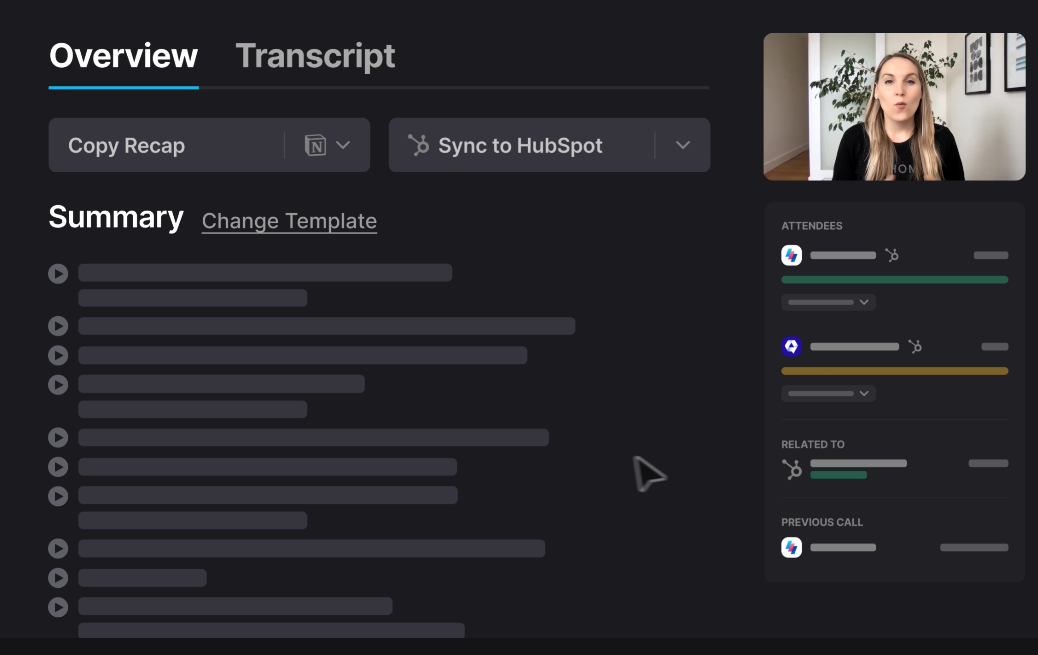
Fathom is an AI note-taker and meeting assistant that records and transcribes interviews and meetings, then summarizes them. Call summaries sync to HubSpot automatically the moment your call ends, removing manual work.
Pros
- Live, real-time transcription during interviews
- Easy search across past interviews
- Competitive pricing for a range of budgets
Cons
- Real-time transcription isn’t always perfect
- Missing some advanced features found in higher-end tools
- Could offer more native integrations with project management tools
Pricing
Standard plan – $24 per user per month
Pro plan – $29 per user per month
Why choose Fathom?
Fathom suits teams that want affordable, real-time transcription with searchable archives. It’s a great option for small and mid-sized businesses that want to track interviews efficiently without overspending.
Fathom: Favourable aspects
- It syncs smoothly with Zoom and offers an intuitive dashboard for post-meeting review.
- Everything sits on one page, from accurate transcripts and action items to quick links to specific moments in the conversation.
- You can pick your preferred summary format, whether that’s the recommended layout, chronological or another option ordered by relevance.
- Sharing transcripts and summaries is easy, with no complicated automations needed.
- Its “Monologue” feature encourages active listening and concise communication, making discussions more efficient.
- The interface is intuitive and built for simplicity, so it adapts easily to your workflow.
- You can capture ideas in whatever format suits you, from text and images to audio recordings.
- Meeting information and recordings are easy to share with colleagues, clients or team members who missed the call.
User challenges with Fathom
- Some users find Fathom’s talk-time percentages aren’t always fully accurate.
- More native integrations with project management tools such as Asana would help. It works through Zaps today, but a direct connection would be more convenient.
- It occasionally misreads what was said, or even records the opposite, which can be frustrating.
- It may miss discussion points, especially in meetings that cover many topics.
- Some users run into trouble when clients decline the note-taker. Fathom has also had occasional issues joining external calls, possibly because organizers block the bot.
- Some users dislike the website’s permanent dark mode and would like a light mode option, though that’s a matter of taste.
- It lacks certain advanced features, such as marking discussion points during meetings.
- Users have noticed occasional captioning errors, such as comments landing in the wrong speaker bubble or merging together, though these are usually minor.
FAQs on interview note-taking tools
What is an AI interview note-taking tool?
An AI interview note-taking tool records and transcribes your interview, then turns the conversation into structured notes. You get a searchable record of every question and answer without typing during the call. The strongest tools for agencies also pull key details, such as salary expectations and notice period, straight into the candidate profile.
What’s the difference between a general meeting assistant and a recruitment-specific note-taker?
General meeting assistants like tl;dv and Fathom summarize any call well and suit teams that want an affordable, simple option. Recruitment-specific tools like Atlas, Metaview, Aspect and BrightHire are built around interviews. They structure notes around candidate details and connect with your ATS or CRM, so information lands where your desk already works.
How accurate are AI interview transcripts?
Accuracy is high for most interviews, though every tool covered here can occasionally mishear words, accents or technical terms. It’s worth skimming key sections before you share notes with a client. Accuracy tends to improve as tools train on more diverse data.
How much time can an AI note-taker save recruiters?
Manual notes eat into the interview itself and the write-up afterward. With an AI note-taker, notes are ready within minutes of the call ending, so most post-interview admin disappears. The bigger saving often comes later, when transcripts feed directly into candidate reports for clients.
It’s time to modernise your interview note taking process
A reliable tool for capturing key points makes a real difference, whether you’re running job interviews or intake meetings.
The right interview note-taking tool depends on your needs and budget. Ideally, it saves you time and keeps you organized. It should also free you to focus on quality conversations and improve the interview experience.
An AI-powered interview notes tool also gives you an edge, helping position your agency as an innovative, high-value partner to clients.
Whichever tool you pick, each option here can strengthen your interview process. Capturing important details gets easier, and so does making informed hiring decisions. Happy interviewing!



