
// Software Comparisons
10 Best Mobile Recruiting Software Tools for Agencies in 2026
Published: 15 July 2026,
19 min to read
Agency recruiters rarely spend a full day at a desk. Client meetings, candidate interviews, and calls between offices fill most of the working day, and the software recruiters rely on needs to keep pace with that. Mobile recruiting software has become the layer that decides whether a recruiter can act on what happens in those moments or has to reconstruct it later from memory.
Many ATS platforms still treat their mobile app as an afterthought bolted onto the desktop product. Recruiters can browse records and check a pipeline from a phone, but meaningful work still waits until they are back at a laptop. Notes get scribbled on paper or typed into a notes app, then copied across later, and that gap is where details go missing.
The best mobile recruitment app for an agency in 2026 closes that gap rather than working around it. Some platforms have added lightweight call recording or scheduled-meeting transcription this year. Others remain read-only companions to a desktop system. A handful, led by Atlas, treat mobile capture as the starting point for automation rather than an extra screen to check.
In this guide, we compare the best mobile recruiting software for agency recruiters in 2026, including several tools with genuinely new mobile capabilities since last year, so you can see which recruitment app fits how your team actually works.
Top Mobile Recruiting Software for Agencies in 2026
- Atlas – the Recruitment Platform
- Zoho Recruit
- Manatal
- Greenhouse
- JobAdder
- Bullhorn
- Vincere
- RecruitCRM
- Teamtailor
- Clockwork Recruiting
1. Atlas – the Recruitment Platform
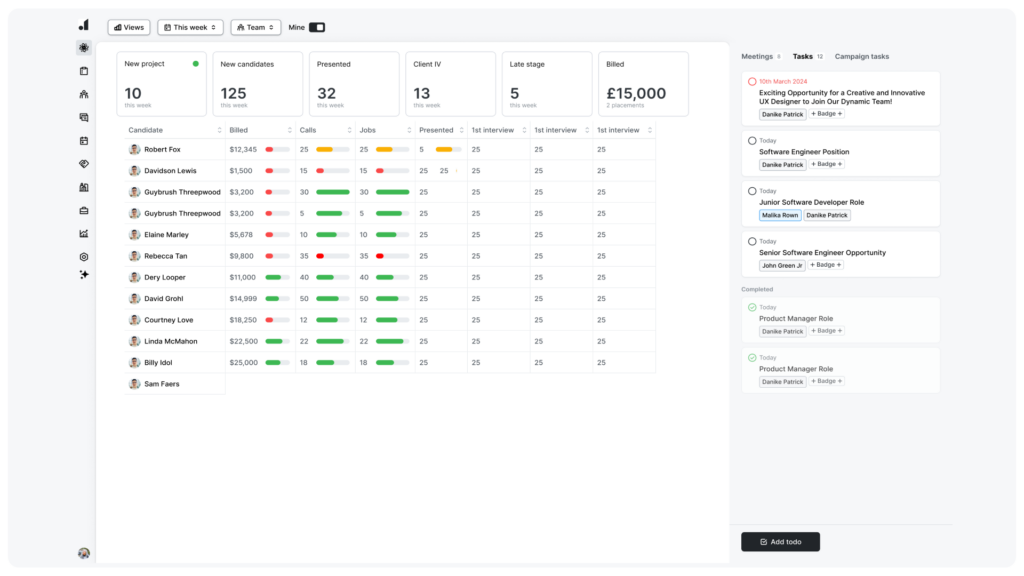
Capturing an interview the moment it happens, rather than rebuilding it from memory afterward, is what separates admin-light agencies from the rest. Atlas is built around that idea, pairing a full recruitment CRM platform with a mobile app engineered for real recruiter workflows instead of passive record browsing. In-person meetings and interviews are captured hands-free through the AI note taker, so recruiters stay present in the conversation while everything syncs automatically to the Atlas workspace for structured follow-up.
Beyond capture, Atlas layers customizable note-taking templates and an interview search function on top of every transcript, letting recruiters pull up what a candidate said weeks ago by searching a phrase rather than scrolling. Combined with agentic AI that handles data updates, reminders, and candidate sourcing support in the background, mobile activity turns into structured pipeline progress instead of a parallel to-do list. Agencies weighing the best AI recruitment app options for 2026 tend to find this end-to-end approach is what separates Atlas from tools that only offer view access on a smaller screen.
Key features of Atlas – the Recruitment Platform
- AI note taker with native interview transcription, captured hands-free from the mobile app
- Customizable note-taking templates by industry or candidate profile
- Interview search across past conversations by phrase or topic
- Access prospect and candidate information on the go
- Admin-free recruitment powered by agentic AI
- Candidate matching and scoring with visible reasoning behind each result
- Multi-step, multi-touch outreach campaigns
- Automated to-do lists and workflow prompts
- Post jobs directly to your website or job boards
- Enterprise dashboards and recruitment KPI analytics
- Client-ready search and candidate reports
- Browser extension
- Integrations across email, calendar, and communication tools
Best for: Agencies that want mobile interview capture to feed directly into pipeline admin, rather than living in a separate note-taking app
Not a great fit for: In-house recruitment teams managing internal staff rather than external agency placements
Pricing: Free trial available, book a demo for your pricing
G2 rating: 4.9/5
2. Zoho Recruit
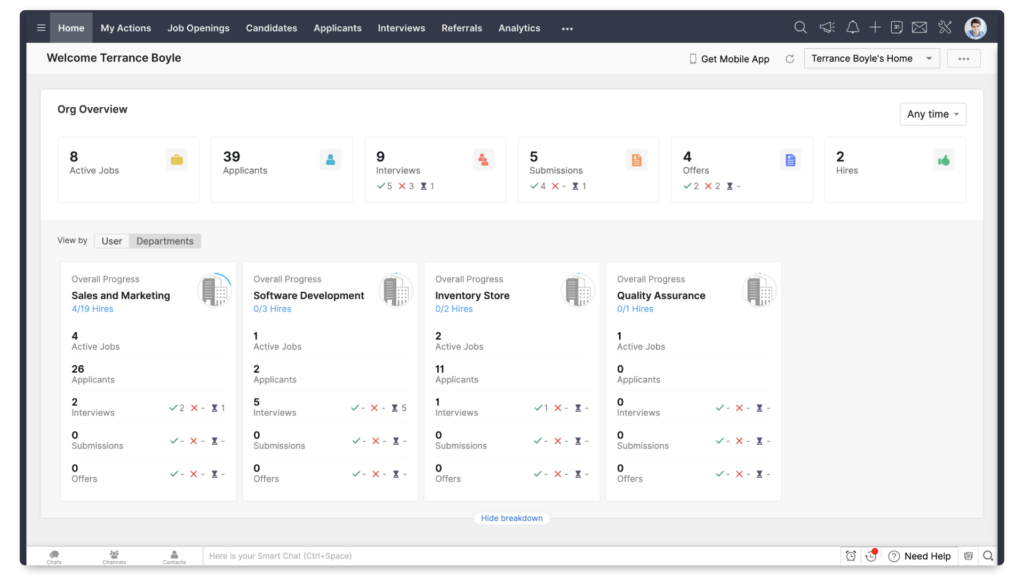
Agencies already running other Zoho products often look at Zoho Recruit first, since it sits inside the same ecosystem and shares login and billing with tools they already use. The cloud-based ATS covers core recruitment functionality such as candidate tracking, job management, resume parsing, and reporting, aimed at both staffing agencies and in-house teams rather than agencies exclusively.
Its mobile app is built around tasks and records: recruiters can view and update candidate information, track activities, manage reminders, and add manual notes while away from their desk. That covers the basics of staying organized during the day, though the app does not extend into automated interview capture or transcript generation. Notes taken on mobile still rely on the recruiter typing them in, rather than a recruiting software with mobile app support for hands-free recording.
Key features of Zoho Recruit
- Task and workflow management via mobile app
- Manual mobile app note-taking
- Candidate database management
- Interview scheduling
- Email templates
- Custom fields
- Reports and analytics
- Compliance support
- Integration with other Zoho products
Best for: Agencies already invested in the Zoho ecosystem that want a familiar, budget-friendly ATS
Not a great fit for: Agencies looking for AI-driven automation rather than rule-based workflows
Pricing: Free plan available, paid plans start around $30 per recruiter/month (Standard edition)
G2 rating: 4.4/5
3. Manatal
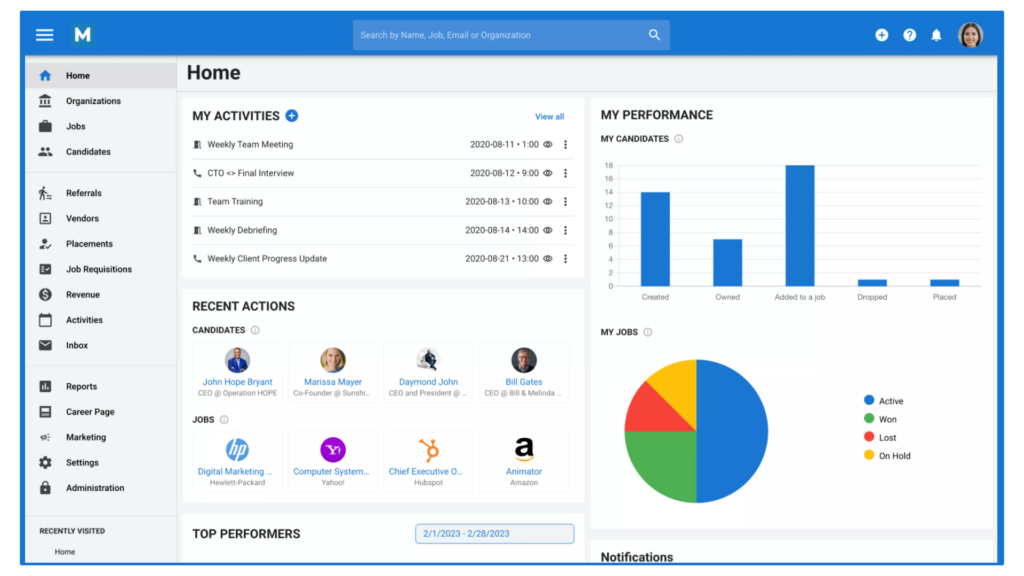
Centralizing client deal tracking alongside candidate pipelines is where Manatal focuses most of its product, aiming at agencies that want a straightforward, all-in-one recruitment CRM without a steep learning curve. Recruiters can enrich contact records automatically, track deal stages on a configurable pipeline, and collaborate with the wider team, all inside a fairly lightweight interface.
Manatal does not offer a dedicated native mobile app. Recruiters access the platform through a mobile browser instead, which covers basic visibility into candidates and jobs but restricts how much can actually get done from a phone. There is no in-person interview capture or automated syncing built for mobile use, which puts Manatal behind platforms designed around a genuine mobile ATS experience rather than a scaled-down browser view.
Key features of Manatal
- Browser-based mobile access
- Candidate database management
- Client and contact management
- Job and deal pipeline tracking
- Resume parsing
- Custom workflows
- Client portal
- Reports and analytics
- Integrations
Best for: Smaller agencies that want quick onboarding and a simple CRM without heavy setup
Not a great fit for: Recruiters who rely on mobile-first workflows during interviews and client meetings
Pricing: Free trial available, pricing starts at $15 per user/month
G2 rating: 4.8/5
4. Greenhouse
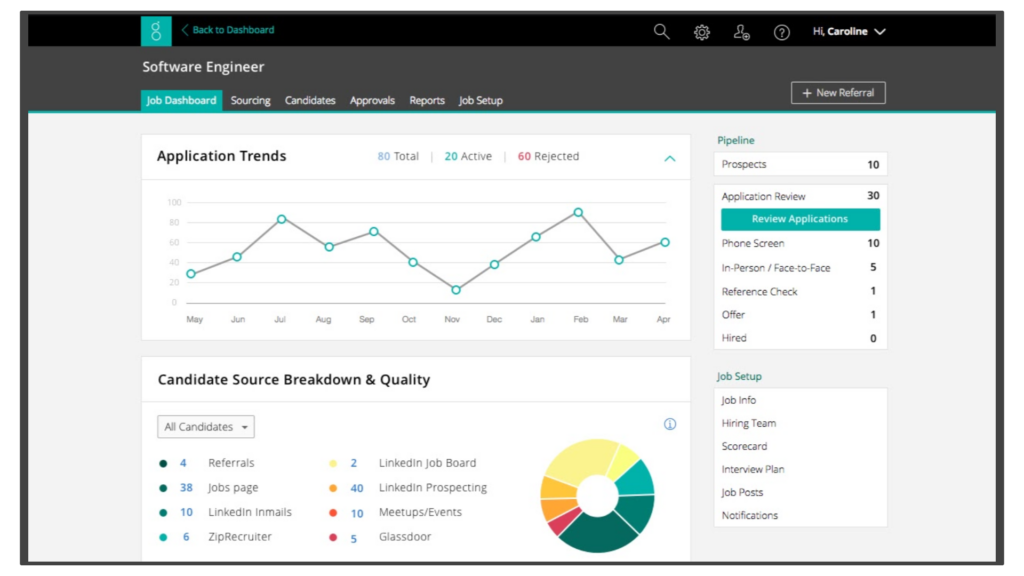
Structured, data-driven hiring is the appeal of Greenhouse, which has kept its position as a G2-ranked ATS through 2026 for mid-market and enterprise hiring teams. Recruiters can build detailed interview kits and scorecards, and the platform layers in AI-assisted features such as resume screening integrations and interview question generation on top of an established ATS foundation.
The mobile app supports interview preparation rather than live capture: recruiters can review candidate information, check interview notes, and complete scorecards between meetings. It does not function as an in-person note-taker, and there is no automated transcript capture built into the mobile experience. For agencies that prioritize process standardization and are comfortable with a quote-based pricing model, Greenhouse remains a solid choice with limited mobile workflow depth.
Key features of Greenhouse
- Mobile interview preparation
- Mobile scorecard completion
- Structured hiring workflows
- Candidate communication tools
- Pipeline and funnel management
- Email outreach tools
- Reports and analytics
- Role-based permissions
- Integrations
Best for: Structured, high-volume hiring teams that want deep reporting and integration flexibility
Not a great fit for: Agencies wanting AI-first automation rather than AI features layered onto an existing ATS
Pricing: No free plan or trial available, contact the vendor for pricing details
G2 rating: 4.4/5
5. JobAdder
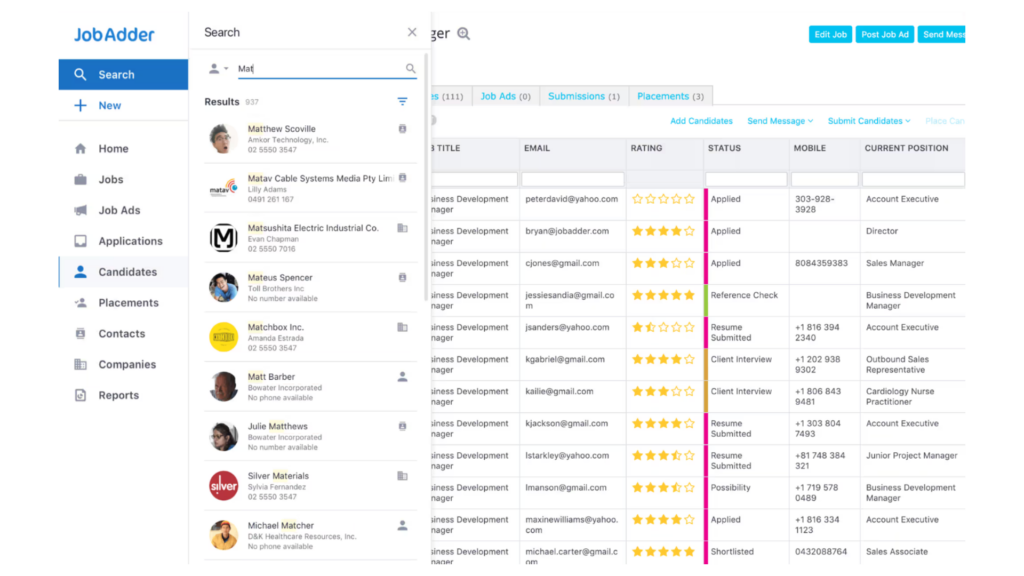
JobAdder is a cloud-based ATS and recruiting CRM built around a clean, familiar interface, aimed at agencies that want a straightforward system without a steep setup process. It centralizes candidate management, client activity, job postings, and deal tracking, giving recruiters a single place to run day-to-day recruitment and business development.
JobAdder’s mobile app allows recruiters to check tasks, review candidates, and stay informed while away from their desk, but it stops at basic access rather than end-to-end workflows. Automated interview capture and deeper mobile-driven automation are not part of the app, so recruiters who depend heavily on mobile activity to reduce admin will find it more limited than platforms built specifically around that use case.
Key features of JobAdder
- Task reviews with the mobile app
- Candidate information access via mobile
- Business development tools
- Candidate database management
- Client history management
- Interview scheduling
- Dashboards
- Reports and analytics
- Integrations
Best for: Agencies that want a clean, combined ATS and CRM interface without a steep setup process
Not a great fit for: Teams looking to automate admin through mobile-first capture
Pricing: No free trial available, contact the vendor for pricing details
G2 rating: 4.4/5
6. Bullhorn
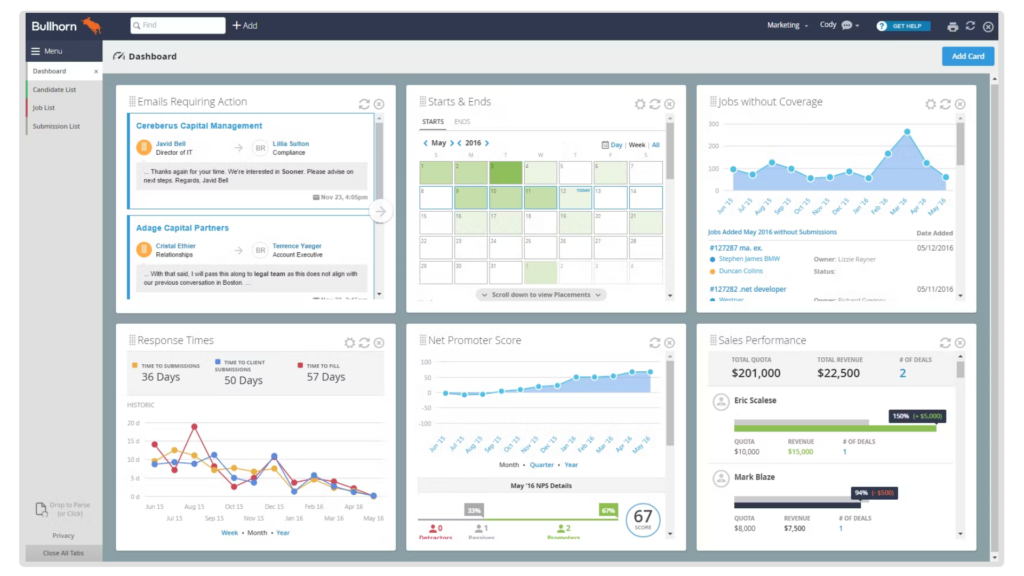
Recruitment CRM and applicant tracking come combined in Bullhorn, a system designed to support staffing agencies managing complex, multi-role environments across candidate sourcing, client relationships, and sales activity in one place. Built-in automation supports outreach, follow-ups, and workflow triggers, though setup and configuration typically take longer than with lighter CRM tools.
Bullhorn added a genuine AI feature this year through Amplify, which can record and transcribe scheduled video meetings across Zoom, Microsoft Teams, and Google Meet, syncing summaries back to candidate records. That said, Amplify does not currently record or transcribe unstructured phone calls or in-person conversations conducted directly from a mobile device, so recruiters who interview candidates face-to-face or over a mobile call still need a separate tool to capture those conversations. The core mobile app itself remains focused on record access, contact review, and interview preparation rather than live capture.
Key features of Bullhorn
- Mobile access to candidate and client data
- Amplify AI transcription for scheduled video meetings
- Candidate sourcing management
- Client and contact management
- Workflow automation and triggers
- Email communication tracking
- Role-based permissions
- Invoice management
- Reports and analytics
- Integrations
Best for: Complex agency workflows spanning multiple teams and offices that already run scheduled video interviews
Not a great fit for: Recruiters who interview candidates by mobile phone or in person and need that captured automatically
Pricing: Starter plans begin around $99 per user/month, with Core at $165 per user/month; higher tiers are quote-based
G2 rating: 4.2/5
7. Vincere
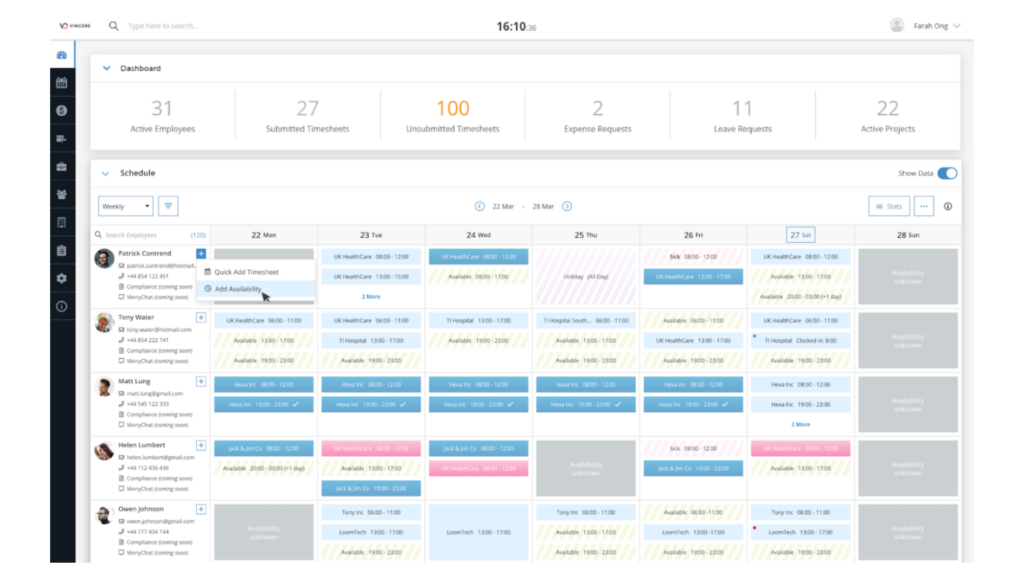
Formerly known simply as Vincere, Access Vincere Evo is a front-to-back office recruitment platform for agencies that want applicant tracking, CRM functionality, time management, and invoicing under one system. This combined approach suits larger agencies managing contract staffing, payroll workflows, or multi-branch operations where recruitment and back-office processes need to stay connected.
The mobile app covers candidate record access, notifications, and messaging while recruiters are on the move, which supports awareness and communication throughout the day. It does not extend into in-person interview recording or automated transcript capture, so the mobile experience leans toward staying informed rather than reducing post-meeting admin.
Key features of Vincere
- Mobile messaging and record access
- Recruitment pipeline automation
- Candidate database and search
- Client and contact management
- Email and calendar synchronization
- Payroll and contractor tools
- Role-based access
- Reports and analytics
- Integrations
Best for: Larger agencies that want recruitment and back-office functions such as payroll in a single connected system
Not a great fit for: Smaller teams wanting a lighter mobile-first tool without the back-office layer
Pricing: No free plan or trial available, contact the vendor for pricing details
G2 rating: 4.5/5
8. RecruitCRM
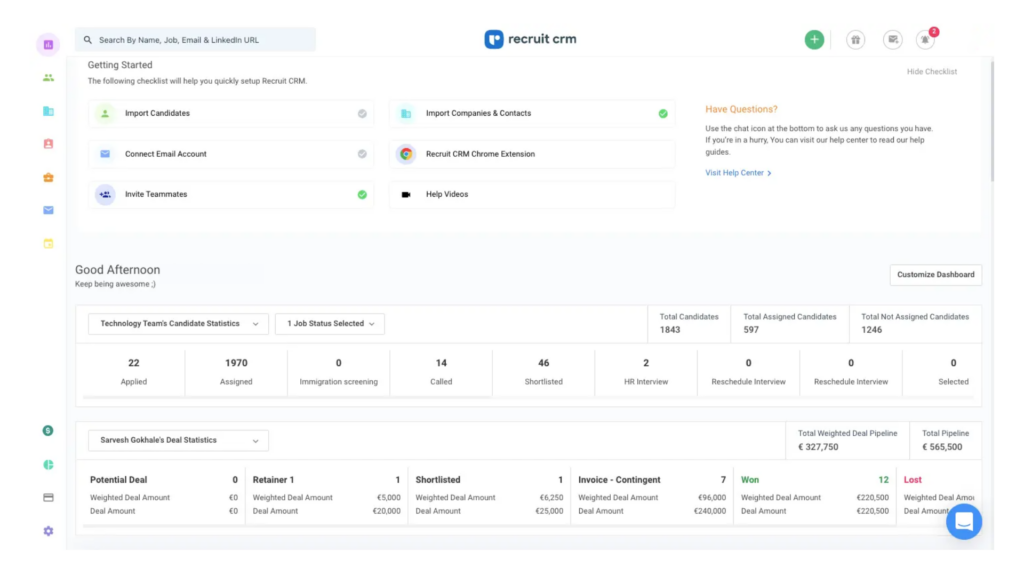
Simplicity is the pitch behind RecruitCRM, an ATS and recruiting CRM aimed at agencies that want clear pipelines without a steep learning curve. Recruiters manage job requirements and move candidates through visual pipelines using resume parsing, email sequences, and task management, with most of the efficiency coming from structured process rather than heavy AI automation.
The mobile app lets recruiters review candidate information, client notes, and job details while away from their desk, and calls can be recorded directly from the app when paired with a telephony integration such as KrispCall or Ringover. Those recordings are not natively transcribed inside RecruitCRM itself, so agencies wanting automatic transcripts typically add a third-party AI meeting assistant on top rather than relying on built-in capture.
Key features of RecruitCRM
- Mobile access to prospect and job records
- Mobile call recording via telephony integrations
- Candidate database management
- Client and contact management
- Visual recruitment pipelines
- Email sequences
- Reports and analytics
- Role-based access
- Integrations
Best for: Agencies that want a simple, visual pipeline and are comfortable pairing in a call-recording integration
Not a great fit for: Teams wanting native transcription without adding a separate tool
Pricing: Free trial available, pricing starts around $85 per user/month
G2 rating: 4.8/5
9. Teamtailor
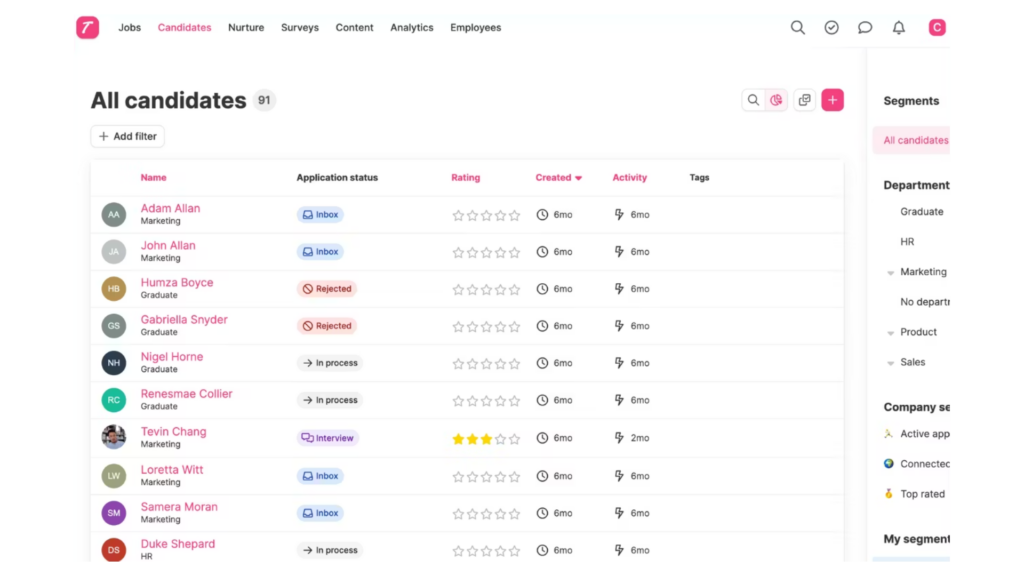
Employer branding and candidate experience sit at the center of Teamtailor, a cloud-based ATS built primarily for modern in-house hiring teams, though some agencies use it to manage pipelines and communication in a clean interface. Core functionality covers candidate profiles, job management, and structured hiring workflows, with integrations extending into job boards and other third-party tools.
The mobile app allows recruiters to access candidate profiles, track jobs, and send messages while away from their desk, supporting responsiveness and basic pipeline visibility. It is not designed around live capture: there is no in-person interview recording, and conversations do not pass automatically into the ATS as transcripts. Recruiters relying heavily on mobile-first workflows will find the experience geared more toward in-house hiring teams than agency recruiters running high-volume pipelines.
Key features of Teamtailor
- Mobile access to profiles, jobs, and messaging
- Candidate profile management
- Interview scheduling
- Employer branding tools
- Job and pipeline management
- Customizable workflows
- Role-based permissions
- Reports and analytics
- Integrations
Best for: Teams that prioritize candidate experience and employer branding over deep recruitment automation
Not a great fit for: Agencies whose core need is mobile-first admin reduction across high-volume pipelines
Pricing: Free trial available, contact the vendor for pricing details
G2 rating: 4.6/5
10. Clockwork Recruiting
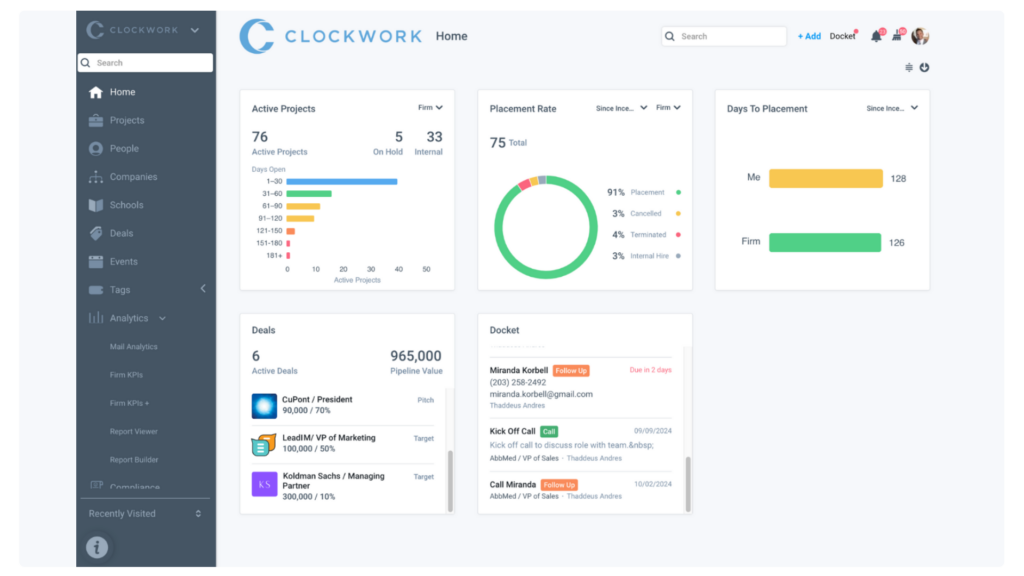
Structure and visibility across executive search workflows are what Clockwork Recruiting is built around, helping agencies manage multiple jobs, clients, and submissions inside a clearly defined system. Recruiters can configure workflows, track submissions and placements, and report on team performance, with most efficiency gains coming from better organization rather than AI-driven task reduction.
The mobile app lets recruiters search the candidate database and access projects while away from their desk, useful for quick lookups during a busy day. Core activities such as interview capture, automated syncing, and deeper process support still rely on desktop use, which makes Clockwork a dependable tool for reporting and compliance rather than mobile-first admin reduction.
Key features of Clockwork Recruiting
- Access to candidate information from the mobile app
- Candidate search management
- Email outreach tools
- Activity and task tracking
- Notes and email templates
- Reports and analytics
- Diversity, equity, and inclusion metrics
- Compliance and audit support
- Browser extension
Best for: Executive search agencies that prioritize reporting, compliance, and structured submission tracking
Not a great fit for: Recruiters looking to minimize admin through mobile-first automation
Pricing: No free trial available, pricing starts at $149 per user/month
G2 rating: 3.6/5
What is mobile recruiting software?
Mobile recruiting software is recruitment technology that lets recruiters do meaningful work from a phone, not only check on it. For agency recruiters, that usually means accessing an ATS or recruitment CRM through a mobile recruiting app that supports real actions during meetings, interviews, or travel between client sites, rather than a view-only companion to the desktop system.
The strongest tools in this category go beyond letting recruiters glance at a candidate profile. A genuine mobile ATS captures notes, updates records, and keeps pipelines moving without recruiters waiting until they are back at a laptop. Some platforms package this as a dedicated recruitment app, while others extend an existing recruitment agency app with add-on capture tools. Either way, the goal is the same: reduce the gap between what happens in a conversation and what makes it into the system.
What to look for in mobile recruiting software
Native interview capture versus read-only access
Many platforms let recruiters view records from a phone, but far fewer let them capture a conversation as it happens. Look for whether interview or call recording happens natively inside the mobile app, or whether it depends on a separate integration layered on top. Native capture removes a step and a potential point of failure.
Automatic syncing back to candidate records
Capturing a conversation only helps if the notes end up in the right place without manual copying. The best mobile recruiting software syncs transcripts, summaries, and action items directly to the candidate or client record, so a recruiter never has to retype what was already said once.
Business development tools built for mobile use
Agency recruiters spend meaningful time on business development between client meetings, and mobile access to deal pipelines, contact history, and follow-up reminders keeps that moving. A recruitment app that treats BD as a mobile afterthought forces recruiters to hold details in their head until they are back at a desk.
Candidate search and matching from a phone
Being able to search or filter a candidate database from a mobile device matters most in the moments right after a client call, when a role’s requirements are freshest. Platforms that support full search functionality on mobile, rather than a stripped-down subset, help recruiters respond while the context is still clear.
Reporting and dashboard visibility
Enterprise agencies managing several teams need visibility into pipeline health and performance without waiting to open a laptop. Mobile access to dashboards, even in a simplified form, lets managers and recruiters spot bottlenecks earlier in the day.
Compliance and permission controls
Recording interviews and calls raises consent and data handling questions that vary by region and by whether a recording will ever be shared outside the company. Strong mobile recruiting software builds permission controls and consent prompts into the recording workflow rather than leaving it to recruiter judgment alone.
Integration with calendar, email, and calling tools
A mobile app works best when it connects to the tools recruiters already use throughout the day. Calendar syncing, email integration, and calling tool support reduce how often a recruiter has to switch between apps mid-conversation.
Choosing mobile recruiting software for your agency
Before committing to a platform, it helps to work through a short list of questions with any vendor on your shortlist:
- What does the vendor’s G2 rating and review history say about long-term reliability?
- Does the mobile app support native interview or call recording, or does it require a third-party integration?
- Are transcripts and notes synced automatically to candidate and client records?
- Can recruiters search or filter the full candidate database from a phone, not a limited subset?
- What business development tools, if any, are available in the mobile app?
- How does the platform handle consent and compliance for recorded conversations?
- Is pricing transparent, or does it require a custom quote for every tier?
- What is the learning curve for recruiters who are not naturally comfortable with new software?
- Does the mobile experience feel like a genuine extension of the desktop platform, or a separate, thinner product?
- How well does the tool integrate with the calendar, email, and calling systems your team already uses?
Mobile-first recruiting is now the baseline, not the differentiator
Recruiting in 2026 happens in cafes, client offices, and shared spaces as often as it happens at a desk, and the software recruiters rely on needs to reflect that. What separates the top mobile recruiting software from the rest is not whether a mobile app exists. Nearly every platform in this guide has one. The difference comes down to whether that app captures real work or simply displays it.
Several tools compared here made genuine progress in 2026, from Bullhorn’s Amplify transcription for scheduled meetings to RecruitCRM’s telephony-integrated call recording. Even so, most remain built around reviewing information on a smaller screen rather than reducing the admin that follows a conversation. Atlas takes a different approach by treating the mobile app as the starting point for automation: capturing interviews hands-free, syncing them automatically, and feeding that data into agentic AI that handles the follow-up work.
For agencies weighing which of these platforms suits a genuinely mobile-first way of working, the deciding factor is usually how much still needs to happen back at a desk once the meeting ends. The less that is, the more the mobile app is actually doing its job.