// Recruitment Technology, Software Comparisons
Recruit CRM Pricing 2026: Per User Looks Simple Until Job Boards and Migration
Published: 18 August 2026,
13 min to read
The bottom line
Recruit CRM publishes its per user prices, and on annual billing they run from $95 to $215 per user per month. The license covers none of the metered lines: multiposting credits, workflow automation, analytics, LinkedIn messaging and paid data migration. Two of those add-ons are billed across every seat you own, not the seats that use them.
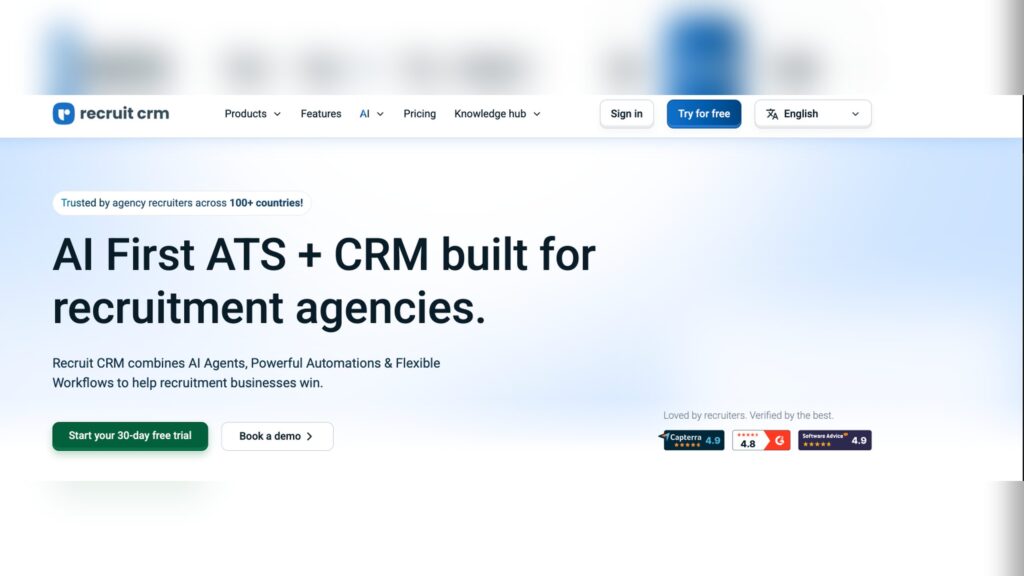
Last reviewed: August 2026. Every figure here was read from the vendor’s own pages on 18 August 2026. Reviewers rate the platform 4.9 from 475 reviews on Capterra.
Why the per user price is the smallest number in the deal
Recruit CRM pricing is published, per seat, and easy to put in a spreadsheet. That transparency is why the platform reaches so many agency shortlists. It is also why budgets built on it come in light.
The license buys the license.
Everything that makes a desk productive at scale sits beside it with its own price. Credits push a job out to the boards. Automation moves records without a recruiter. The analytics layer is what operations asks for in month two. The website builder is a line of its own again.
Two of those lines are charged across your entire user count, not per user who opens them. That detail is worth more than any discount you will negotiate.
Then there is the part no vendor prices. Consultants ramping on a new system bill less for a few weeks. Every software budget has one number the board remembers and four that nobody wrote down.
How much does Recruit CRM cost per user in 2026?
Recruit CRM publishes three tiers on its own pricing page. On annual billing they run from $95 to $215 per user per month. Monthly billing costs more on every tier, and the page states annual billing saves up to 20%.
The prices load in the browser rather than the page source. Currency follows your location, so the figures below are the USD prices returned on 18 August 2026.
Two footnotes on that page do most of the work. Pro and Business each carry the line that enterprise features are billed separately. Only the top tier says all enterprise features are included in one price.
Read the feature grid lower down as well. The Pro card lists job board posting. The comparison grid marks job posting through the LogicMelon integration as unavailable on Pro. Ask which of the two applies to your desks before you sign.
| Plan | Billed annually | Billed monthly | What the pricing page notes |
|---|---|---|---|
| Pro | $95 | $109 | Enterprise features are billed separately. No open API access, no LogicMelon job posting in the comparison grid |
| Business | $135 | $159 | Enterprise features are billed separately. Adds sequencing, SSO, audit logs, custom roles and open API access |
| Enterprise | $215 | $259 | All enterprise features included in one price, with workflow automation, multiposting, enrichment and analytics allowances |
Which add-ons and credits push the total higher?
Six add-ons carry their own prices on the Recruit CRM pricing page. Two of them are billed per user across your total user count, not per user who needs them. Analytics and LinkedIn messaging are the two, and at any real headcount they move the budget.
The rest are credit pools with tiered prices. The entry price on the card is the smallest tier in a dropdown. Treat it as a floor rather than a forecast.
Job multiposting is the clearest example. Seven postings a month is the entry tier at $20 a month on yearly billing. Sixty postings is $166, and 125 postings is $291. A temp desk running volume lands several tiers above the number on the card.
| Add-on | Entry price | What the entry tier buys | Included on Enterprise |
|---|---|---|---|
| Workflow Automation | $41 per month | 1,000 tasks per month, rising to 1M in the tier list | 1,000 tasks per user per month |
| Job Multiposting and Advertising | $20 per month | 7 job postings per month, rising to 750 | 10 jobs per user per month |
| Data Enrichment | $250 per year | 3,000 credits, rising to 80,000 | 500 credits per user per month |
| LinkedIn Messages Integration | $12 per user per month | Billed per user on your total user count | Free on Enterprise |
| Advanced Analytics | $25 per user per month | Billed per user on your total user count | Free on Enterprise |
| Recruit Craft website builder | $41 per month | Up to 5 jobs per month, free tier available | Unlimited jobs |
What sits outside the headline number?
Four cost lines sit outside both the license and the add-on menu. None of them can be read off a pricing page. They are paid migration, job board media spend, the integrations you keep, and the billing time lost while consultants learn the system.
Migration comes in two shapes. A built in Excel or CSV import is free, on the vendor’s own account. Hiring their migration engineers is paid, and priced on the volume of data you move. Timelines are quoted as 10 to 14 business days in the pricing FAQ and 10 to 12 business days on the migration page. Pin that down in writing if go live is tied to a quarter end.
Job board spend is the line agencies underestimate most. A credit is consumed when a job goes out to the boards attached to a campaign. You can also connect your own job board accounts for direct posting. The credit buys distribution, and the boards still invoice you for the advertising.
Then there is the stack you keep. 56.16% of agency recruiters describe their technology setup as functional but fragmented, and a per seat CRM price says nothing about which of those subscriptions you cancel. Model the ones that survive the switch. Finance counts them in the same budget line, and they are why a recruitment tech stack grows faster than the headcount using it.
Last, the softest number and often the biggest. Consultants ramping on a new system bill less for a few weeks. No vendor puts that on a quote.
At 25 seats, what does Recruit CRM really cost?
A 25 seat agency on Business, with the add-ons most teams end up buying, pays $56,084 in year one on published list prices. That is roughly $187 per user per month against a $135 headline. Every line below uses a published figure and states its assumption.
The license is about 72% of that published total. Across three years at flat list prices, the published lines come to $168,252.
One comparison is worth running first. Enterprise at 25 seats is $64,500 a year at list. It includes the analytics, LinkedIn messaging, automation and multiposting allowances modeled separately above. The gap between the two structures is far smaller than the gap between their headline prices.
The model excludes job board media spend and the migration quote. It also excludes the billing time your consultants lose during rollout. None of those can be calculated from public information. Ask for all of them in the negotiation rather than estimating afterwards. If you are costing a move in either direction, our RecruitCRM migration guide sets out the mechanics.
| Cost line | Assumption | Year 1 | Year 2 | Year 3 |
|---|---|---|---|---|
| Business licenses, 25 seats | $135 per user per month, published annual billing price | $40,500 | $40,500 | $40,500 |
| Advanced Analytics | $25 per user per month, billed across all 25 users | $7,500 | $7,500 | $7,500 |
| LinkedIn Messages Integration | $12 per user per month, billed across all 25 users | $3,600 | $3,600 | $3,600 |
| Job multiposting credits | 60 postings per month tier at $166 per month | $1,992 | $1,992 | $1,992 |
| Workflow automation | 5,000 tasks per month tier at $166 per month | $1,992 | $1,992 | $1,992 |
| Data enrichment credits | 7,500 credit tier at $500 per year | $500 | $500 | $500 |
| Job board media spend | Bought direct from the boards, not published anywhere | Excluded | Excluded | Excluded |
| Paid data migration | Priced on data volume, quoted per agency | Quoted | Not applicable | Not applicable |
| Ramp time on billings | 25 consultants at reduced output during rollout | Excluded | Not applicable | Not applicable |
| Total of published lines | Licenses plus per seat add-ons plus credit tiers | $56,084 | $56,084 | $56,084 |
What do reviewers say about Recruit CRM value for money?
Recruit CRM holds 4.9 out of 5 from 475 reviews on Capterra. Value for money is rated 4.8 from 456 reviews and customer service 4.9 from 469. That listing was last updated on 20 July 2026 and checked in August 2026. On TrustRadius the score is 8.6 out of 10 across 21 reviews and ratings.
Two themes carry the praise. The first is value relative to what the platform replaces.
The second is commercial flexibility. That matters more than it sounds when most vendors here open with a twelve month commitment.
Support appears in almost every positive review, and it is why the rating holds up. For a feature by feature read, our complete RecruitCRM ATS review covers the product rather than the price.
The value for money is excellent, especially considering how many parts of the recruitment process it covers.
Vojtech M, Managing Director, Hospitality, August 2026 · Capterra
Also, there is a monthly rolling contract option which is refreshing when everyone else seems to want 12 months commitment.
Nicky C, Director, Staffing and Recruiting, self-employed, August 2025 · Capterra
Where do reviewers push back on credits and tiers?
Cost complaints cluster on credits and tier gating rather than on the subscription price. Reviewers who rate the platform five stars overall still raise the same structural points.
The first is that capability is metered.
The second is that credit pools are sold in sizes suited to the tier list rather than to a small team’s usage.
The third is tier gating, where a permission or an API turns out to sit one tier up. Priced AI is the pattern underneath all of it, and we set out the difference in AI features built in versus bolted on.
None of this makes the platform expensive. It makes the total unpredictable, which is the harder problem when you budget twelve months out.
The AI features are a bit pricey, so we rarely use them. I thought we received two free credits each month with the Organic job posting plan, but they didn’t show up.
Tony R, Executive Recruiter and IT Support, Staffing and Recruiting, February 2026 · Capterra
Their credit system is a bit frustrating at times. I’d prefer some optional service tiers to include the most important internal tools rather than making everything reliant on credit purchases.
Eric L, Director of Brand and Strategy, Staffing and Recruiting, November 2025 · Capterra
I wish there were mor features in the pro plans, and more credits for automation (I want to buy a 100 not 1000)
Melissa Z, Operations Administrator, Mechanical or Industrial Engineering, September 2024 · Capterra
The permissions setup is only available in the higher-tier subscription plan.
Sasha G, Talent Acquisition Manager, Staffing and Recruiting, December 2025 · Capterra
How do you negotiate a better Recruit CRM contract?
Negotiate the add-ons, not the license. The per seat price is the most defended number in the deal and the least significant at scale. The metered lines are where a supplier has room to move.
Take this list into the call. Get the answers into the order form rather than an email thread.
- Ask for the analytics and LinkedIn messaging lines to be scoped to the users who need them, not your total user count
- Get the credit tier for multiposting written in, with the price of the next tier up fixed for the term
- Ask what a credit covers and what the job boards themselves will invoice you separately
- Get the paid migration quote in writing against a named dataset, with the delivery window and what happens if it slips
- Confirm which permissions, API access and integrations sit on your tier, in the order form rather than the demo
- Ask whether unused credits roll over, and what happens to them at renewal
- Fix the renewal price for year two and year three, or cap the uplift as a percentage
- Confirm the export path and format on the way out before you commit on the way in
Who is Recruit CRM the right choice for?
Capterra’s own profile answers this cleanly. 96% of its reviewers come from small businesses, with midsize and enterprise teams at 2% each. That is the shape of the customer base, and the packaging reflects it.
There are agencies for which Recruit CRM remains the better buy, and they are worth naming. A boutique or founder led desk under ten people gets a modern ATS and CRM at a published price. The free CSV import path and the monthly rolling option suit a team that cannot commit for a year. Desks that post few roles and run little automation never reach the tiers where the model turns expensive. Firms that want responsive support ahead of deep configuration say consistently that they chose well.
The calculation changes with headcount. Per seat add-ons multiply across a whole user list. Several desks posting weekly move you up the credit tiers, and operations will want analytics as standard. That is when agencies start looking at enterprise recruitment software built on a different commercial model.
How is Atlas structured differently?
The commercial difference is structural rather than a discount. Pricing is per seat. Modules are not sold separately, and nothing sits behind its own quote. No automatic annual uplift is written into the contract, and contract length is agreed per deal. Nothing meters, so the number you model in month one is the number you pay in month twelve.
That structure only matters if the platform earns it. Built for enterprise agencies, Atlas is an AI-powered CRM that uses agentic AI to remove admin rather than sell it back as credits. It connects to Gmail and Outlook and pulls in every person you have ever emailed. It parses every resume on arrival and enriches the companies behind each candidate, so the database builds itself while your team works.
Migration works the same way. Atlas takes the export from your outgoing provider and maps the fields with you first. Automated tests run at 30 to 40 per table, adding up to 300 or more checks across a full dataset, with most migrations completed in two to three weeks. For the line by line view, the Atlas and RecruitCRM comparison sets out where the two differ on workflow and data accuracy.
Frequently asked questions (FAQs) on Recruit CRM pricing and reviews
Annual billing runs from $95 per user per month on Pro to $215 on Enterprise, with Business in between. Those figures were read from the vendor pricing page on 18 August 2026. Monthly billing is higher on every tier, from $109 to $259 per user per month. The page states that annual billing saves up to 20%.
It offers both options. Importing candidates, companies and linked notes yourself through the built in Excel or CSV tool is free. Hiring the vendor’s migration engineers is paid, and priced on the volume of data you move. The vendor quotes 10 to 14 business days on its pricing FAQ and 10 to 12 on its migration page.
No. Job multiposting is a separately priced add-on. It starts at $20 per month on yearly billing for seven postings. A credit is consumed when a job goes out to the boards attached to a campaign. The advertising spend is billed by those boards, not by the CRM.
Annual billing is cheaper on every tier. The published gap on 18 August 2026 was $14 per user per month on Pro. It was $24 on Business and $44 on Enterprise. Monthly billing buys flexibility, and reviewers cite the monthly rolling option as a reason they chose the platform.
Reviewers rate value for money 4.8 from 456 reviews on Capterra, against an overall 4.9 from 475 reviews. Both were checked in August 2026. Positive reviews cite the breadth of the platform relative to price, and the responsiveness of support. The cost criticism aims at credit purchases and higher tier features rather than the subscription.
Modeled on published list prices, 25 seats on Business with the common add-ons comes to $56,084 in year one. That is about $187 per user per month against a $135 headline. The figure excludes job board advertising and any paid migration quote. It also excludes the billing time lost during rollout, which no vendor puts on a quote.
The number to budget for before you sign
The decision is not whether Recruit CRM is good software, because the review data settles that. It is whether a metered model still works at the headcount you are about to reach.
That cost compounds quietly. Every seat you add multiplies two of the add-on lines. Every busy month moves you up a credit tier. Every renewal starts from a number you did not fully control.
The alternative is a platform where the seat price is the whole price, and where admin disappears instead of being metered. That is the model behind Atlas, an AI-powered recruitment platform built for agencies that run at scale. Worth an hour of your operations director’s time to see the difference in the contract rather than the demo.
Sources checked for this page: the Recruit CRM pricing and data migration pages on 18 August 2026. The Capterra product and review listings and TrustRadius were checked in August 2026, alongside Atlas’s State of Agency Recruitment 2026 Benchmark Report.