// Recruitment Technology, Software Comparisons
JobAdder Pricing 2026: Where the Cost Curve Steps Up, and What Reviewers Flag
Published: 18 August 2026,
14 min to read
The bottom line
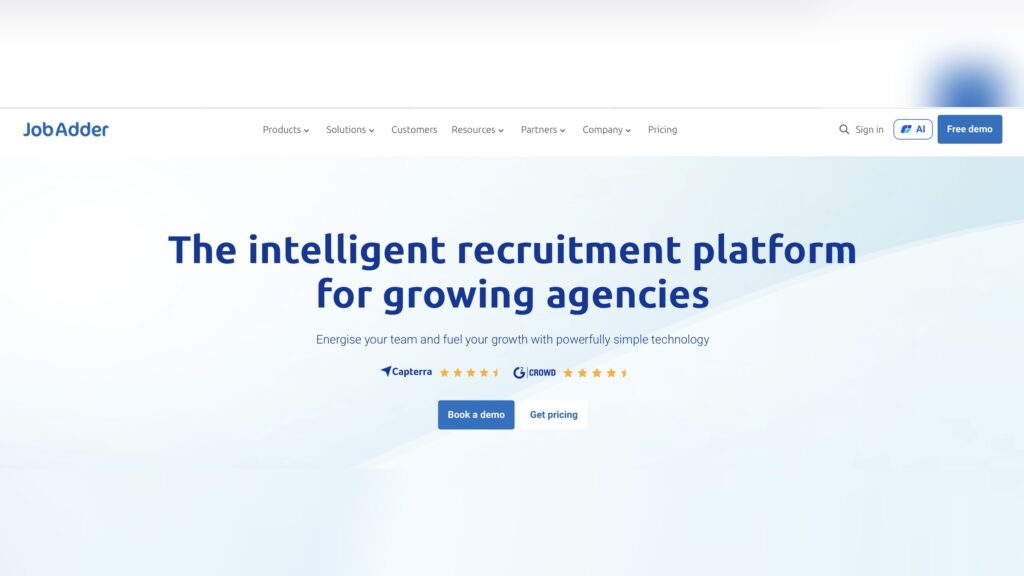
JobAdder does not publish a price. The pricing page shows four plans, three seat bands, six paid add ons and not one figure. Every price is replaced by a request-pricing form. Your plan is set by headcount rather than feature choice, so the cost steps at 6 seats and again at 21.
Reviewers rate it 4.4 out of 5 from 161 reviews on Capterra, with value for money at 4.3. The loudest cost complaints are about licenses bought for the whole team rather than the people who need them.
Last reviewed: August 2026.
What JobAdder publishes, and what it leaves to the quote
JobAdder pricing is a shape rather than a number. The vendor publishes its structure in detail: four plans, the seat range each one covers, the features that separate them, and six add ons outside all four. Every currency figure is withheld.
The pricing page is candid about the reason. It says every business is different. Then it asks you to book a demo before telling you which business you are.
For an operations director building a three year budget, that gap matters more than the rate. A flat per seat rate scales linearly. Bands gated by user count step instead, and they step as a growing desk adds recruiters.
How much does JobAdder cost per user in 2026?
JobAdder publishes no per user price for any of its four plans. Every plan on the JobAdder pricing page ends in a button that opens a request-pricing form. Capterra lists the starting price as Contact vendor, with no free trial available, checked August 2026.
JobAdder publishes the entire shape of its price list and none of its prices. Four plans, four custom quotes.
Aggregators fill the gap with reconstructions rather than invoices. ITQlick reports a band of $100 to $200 per user per month and says the figure comes from market averages for similar software. Treat that as a planning band, and label it that way in the budget paper.
| Plan | Who JobAdder says it is for | Published price |
|---|---|---|
| Recruiter Lite | New and boutique agencies, maximum 5 users | Not published, custom quote |
| Recruiter Essential | Growing agencies, 6 to 20 users | Not published, custom quote |
| Recruiter Pro | Established agencies, 21 or more users | Not published, custom quote |
| Recruiter Business | In-house talent teams, bespoke build | Not published, custom quote |
Where does the cost curve step up as your team grows?
At 6 seats and at 21. Recruiter Lite covers 1 to 5 users and states a maximum of 5. Recruiter Essential covers 6 to 20. Recruiter Pro covers 21 and above.
That makes the sixth recruiter a platform decision. The band applies to the account rather than to individual users, so crossing it moves the whole team onto a different feature set and support model. Nobody plans a sixth hire around a support tier, and then the sixth hire arrives.
The step is also where the AI sits. Adder Intelligence covers Smart Summaries, Smart Sync, Smart Job Descriptions and Smart Floats. It starts at Essential, and so does API access. A five seat agency on Lite has neither, so the boundary is a capability wall as well as a price wall.
JobAdder does not publish what that transition costs. The size of the step is the number worth extracting in the demo.
| Seat band | Plan | What the band unlocks | Support level |
|---|---|---|---|
| 1 to 5 | Recruiter Lite | Core ATS and CRM, one custom workflow, job board posting, report library | Dedicated ticket support |
| 6 to 20 | Recruiter Essential | Multiple workflows, Adder Intelligence, lead generation, dashboards, API access | Phone support and scaled success team |
| 21 or more | Recruiter Pro | Advanced automations, custom dashboards, benchmarking, sandbox environment | Named customer success manager |
Which add ons and job board connections are billed separately?
Six named add ons sit outside all four plans, and JobAdder publishes a price for none of them. Two are the ones enterprise buyers assume are standard: single sign-on, and API access with a sandbox. API access is excluded from Lite and free only for Pro.
Client-facing access is on that list too. Agencies planning to give hiring managers a window into the pipeline should price the Hiring Manager Portal separately.
Job board connections are a different line, and they are not JobAdder’s to charge for. The platform posts to more than 200 boards, and its own directory tags each board Free or Paid. Reed.co.uk, CV-Library, Totaljobs, CWJobs and eFinancialCareers are all tagged Paid. The connection comes with the platform. The inventory comes with an invoice from the board.
AI licensing works on the same principle, and reviewers are specific about it.
| Add on | What JobAdder says it does | Availability | Published price |
|---|---|---|---|
| Broadbean | Job distribution and multi-posting to hundreds of boards | Add on to any base plan | Not published |
| API + Sandbox | Build and test integrations against the API safely | Not available on Lite, free for Pro | Not published |
| Single sign-on | Log in with existing enterprise credentials | Add on | Not published |
| Hiring Manager Portal | Hiring manager access to review applications and give feedback | Add on | Not published |
| Smart forms | Automated candidate and job data capture | Add on | Not published |
| Dedicated IP address | Control email deliverability and sender reputation | Add on | Not published |
Features such as ROI AI cannot be charged to individual users, we have had to purchase a license for all users regardless of whether they need this or not. For some companies this may be prohibitively expensive
Tom W, Company Accountant, Staffing and Recruiting, 51 to 200 employees, September 2024 · Capterra
I could not give the hiring managers access to the platform.
Jolene V, Talent Acquisition Manager, Marketing and Advertising, February 2022 · Capterra
Does the license cover implementation, migration, training and renewal?
No, and JobAdder prices none of them publicly. Its own published FAQ says complex implementations could take up to 10 weeks. That carries cost even when the fee is bundled.
Implementation is not always delivered by JobAdder either. Some agencies are onboarded through third-party partners, and one reviewer reported what that can cost.
ITQlick reports an onboarding fee of $2,000 to $10,000 for a ten user team, reconstructed rather than quoted. Renewal is the honest gap in the other direction. JobAdder publishes no automatic annual uplift, and several reviewers describe user-count billing with no lock-in. Treat an uplift as unknown, then ask for it in writing.
Exit costs are the line nobody budgets. Confirm the export format and who pays for a full extraction. Agencies weighing that move can see how a JobAdder to Atlas migration gets scoped first.
Implementation partner went out of business with our money.
Simon H, Director, Information Technology and Services, February 2025 · Capterra
What does JobAdder actually cost at 5 seats versus 20?
No public source can tell you, and any page quoting a single figure is guessing. What can be modeled is arithmetic on a reported band, with every row marked published or reported.
The ratio matters more than the totals. On ITQlick’s reconstruction for ten users, the license runs 60% to 86% of the first year total. The rate you negotiate hardest covers part of what you sign.
Four things stay outside the model and cannot be derived from public data: add on prices, the cost of the band transition at seat six, job board spend, and the renewal uplift. With 56.16% of agency recruiters describing their tech stack as functional but fragmented, the add on column is where a tidy per seat rate turns into a stack.
| Cost line | 5 seats (Lite) | 20 seats (Essential) | Basis and assumption |
|---|---|---|---|
| License, reported band | $6,000 to $12,000 per year | $24,000 to $48,000 per year | Reported by ITQlick, not published by JobAdder |
| Three year license total | $18,000 to $36,000 | $72,000 to $144,000 | Same band held flat, because no uplift is published |
| Implementation and onboarding | Not published | Not published | ITQlick reports $2,000 to $10,000 for a ten user team |
| Add ons: SSO, Broadbean, Smart forms, portal | Not published | Not published | Six add ons named on the pricing page, no figures given |
| API and sandbox | Not available on this plan | Add on, price not published | Free for Pro customers, excluded from Lite |
| Job board inventory | Billed by each board | Billed by each board | JobAdder’s directory tags boards Free or Paid |
How do JobAdder users rate the platform overall?
JobAdder holds 4.4 out of 5 from 161 reviews on Capterra, checked August 2026. Component scores are ease of use 4.4, customer service 4.4, features 4.2, and value for money 4.3 from 87 ratings.
Capterra records sentiment as 91% positive and 3% negative. The distribution runs 84 five-star reviews, 59 four-star, 13 three-star, 1 two-star and 4 one-star. Criticism is concentrated rather than widespread, and two of the four one-star reviews concern billing and service.
Capterra also notes that 86% of reviewers come from small companies. A 4.3 for value from that panel is a verdict on Lite and Essential, not on Pro.
What do reviewers consistently praise?
Adoption, multiposting, value at small scale and contract flexibility. The praise is consistent across a decade of reviews, and most of it is about friction removed rather than capability added.
Recruiters pick it up without a training program, which shortens payback on a switch.
Ad scheduling and bulk posting are named most often when reviewers say what saved them time.
Value comes up at the smaller end, where the comparison set is usually a heavier legacy platform.
Contract terms earn credit too, which cuts against the twelve month enterprise default.
The product has vastly improved our levels of efficiency and rate of work; functionality is strong and well thought out – the support team are helpful and proactive at all times.
Aaron D, Managing Director, Internet, January 2023 · Capterra
Ad scheduling & being able to post on multiple platforms at once has been a major game changer for us.
Kirsty V, Talent Manager, Staffing and Recruiting, January 2023 · Capterra
It does everything you need a decent ATS to do, at a fraction of the cost.
Tiffany A, Site Manager, Staffing and Recruiting, May 2021 · Capterra
Subscription was based on the number of users – no lock in contract.
Verified reviewer, People and Culture Manager, Medical Devices, December 2024 · Capterra
Where do the cost and service complaints cluster?
Around adding licenses, around what scale costs, around billing accuracy, and around service after the sale. Each theme is specific enough to test in a reference call.
The first is the cost of growth, from a reviewer who rated the platform five stars.
The second is how the seat bands feel from underneath. One reviewer set the value ceiling very low, and that 2022 opinion points at the structure the pricing page still describes.
The third is support, and it is the most recent theme in the set. Both service-related one-star reviews date from 2025.
Billing accuracy appears in the same period. Read the seat count on your order form twice.
The Price – Its going to hurt when I have to buy more licences.
Lina B, General Manager, Human Resources, October 2023 · Capterra
Cheaper than others for 2 users or less
Stefano B, Vice President, Facilities Services, May 2022 · Capterra
The customer service is appalling. I’ve raised numerous issues up to director level and received only empty promises with little to no resolution.
Matt C, Managing Director, Staffing and Recruiting, August 2025 · Capterra
Instead, our company was charged for six full accounts.
Janna H, COO, Alternative Dispute Resolution, July 2025 · Capterra
How do you negotiate a better JobAdder contract?
By pricing the boundary rather than the seat. Every ask below targets something JobAdder does not publish.
Take them into the pricing conversation, and get each answer into the order form.
- Get the per seat rate at your current headcount and at the next band up, in writing.
- Ask what happens the day you add the seat that crosses a band, and whether existing seats reprice.
- Price each add on separately: single sign-on, Broadbean, Smart forms, the Hiring Manager Portal, a dedicated IP, API access.
- Ask whether AI features can be licensed per user or only across every seat.
- Cap the renewal uplift as a number in the contract.
- Name who delivers implementation, what the scope covers, and what happens if that partner is not JobAdder.
- Confirm the export format and the cost of a full data extraction at end of term.
- Put the cancellation notice period in the contract, and check the seat count before signing.
Who is JobAdder a good fit for, and who is it not?
Agencies of roughly 5 to 20 seats running perm desks with some temp and contract work, mostly in Australia, New Zealand and the UK. Capterra’s panel supports that read: 86% of reviewers come from small companies, 35% from staffing and recruiting.
It fits high-volume light industrial desks less well. Margins there are thin, and cost has to flex with placement volume rather than seat count.
It also fits automation buyers less well. Reviewers call the AI helpful and improving, while the workflow still waits for a recruiter to trigger each step. That is a different proposition from AI features built into the core rather than bolted on.
JobAdder is currently slight more designed for direct placement services rather than high volume recruiting.
Tim H, COO, Staffing and Recruiting, January 2023 · Capterra
Where is JobAdder still the better choice?
In four situations worth naming plainly. Boutique agencies of five or fewer recruiters get most of what they need on Lite, with billing terms reviewers rate well.
ANZ agencies that live inside Seek get a native, well-reviewed integration few rivals match. Teams whose core work is multiposting and applicant tracking will find the workflow fits how they already operate.
In-house talent teams are the fourth case. The Recruiter Business plan mixes inclusions from the agency plans around an internal process. A platform a team already likes using carries value that no comparison table captures.
How is the Atlas pricing structure different?
It removes the two things that make a banded quote hard to model. Pricing is per seat, and modules are not sold separately, so no capability sits behind its own quote. No automatic annual uplift is written into the contract, and contract length is agreed per deal.
The difference runs deeper than the invoice. Where a banded platform waits for a recruiter to trigger each step, agentic AI performs the step. AI agents update records and chase follow-ups. An AI note taker captures calls and interviews natively. Multi-touch outreach runs campaigns without a bolt-on tool, and live dashboards read data nobody had to enter. That is Atlas, an AI-powered CRM and recruitment platform built to take admin off the desk rather than add a license line for it.
The practical test is what a platform absorbs. An AI-powered CRM that enriches every candidate record removes tools an agency would otherwise buy around a core ATS. A full comparison of Atlas and JobAdder sets the two workflows side by side, and enterprise-grade data migration gets scoped before anything is signed.
Frequently asked questions (FAQs) on JobAdder pricing and reviews
JobAdder does not publish a per user price. All four plans are quote-only, and Capterra lists the starting price as Contact vendor. ITQlick reports a band of $100 to $200 per user per month drawn from market averages for similar software, which is a planning figure rather than a quote.
No. The pricing page publishes plan names, seat bands, feature inclusions and six add ons, then routes every plan to a request-pricing form. JobAdder describes a three step process that opens with a discovery call and ends with a tailored proposal. A number arrives at the end of that process, not the start.
Capterra records JobAdder as having no free trial available, checked August 2026, and the pricing page advertises none. There is no self-serve signup. If a representative offers trial terms in a demo, get those terms into the contract rather than into an email.
Lite covers up to 5 users with a core ATS and CRM, one custom workflow, job board posting and ticket support. Essential covers 6 to 20 users and adds multiple workflows, Adder Intelligence, dashboards, API access and phone support. Pro covers 21 or more users and adds advanced automations, custom dashboards, benchmarking, a sandbox and a named success manager.
The connections are included and the boards are not. JobAdder posts to more than 200 job boards, and its directory tags each one Free or Paid, with the major UK boards tagged Paid and billed by the board. Broadbean, single sign-on, API access with a sandbox, Smart forms, a dedicated IP address and the Hiring Manager Portal are separate add ons with no published price.
Capterra scores value for money at 4.3 from 87 ratings, against an overall 4.4 from 161 reviews, checked August 2026. Praise for value clusters at the smaller end of the market. Complaints cluster around the cost of adding licenses and around AI features licensed across every seat.
Several reviewers describe user-count billing with no lock-in, and JobAdder publishes no minimum term on its pricing page. Terms sit in the individual proposal, so contract length, notice period, renewal uplift and cancellation terms are all negotiable rather than published policy. Confirm each one in the order form.
The number that decides your next five hires
JobAdder’s price is not obscure because the company is unusual. It is obscure because the structure is banded, and banded structures hide their step until you hire into one. Model the boundary at 6 seats and at 21, price every add on as a line item, and the quote becomes defensible.
A second question sits underneath the first. Much of what a recruiter still does by hand is work software can now do alone: logging the call, updating the record, chasing the follow-up, writing the report. When agentic AI handles that in the background, the platform stops being a filing system your team maintains. It becomes capacity your team bills against. Atlas is built on that mechanism, as an AI-powered recruitment platform where the AI does the admin instead of appearing on the price list as an upgrade.
If your next budget cycle crosses a band, it is worth seeing what a platform costs when nothing is sold separately.
Sources, all checked August 2026. JobAdder’s pricing page for plans, seat bands and add ons. Its job board directory for board cost tags. Its published support content for implementation timelines. Its Capterra listing and review pages for ratings, sentiment and verbatim quotes. ITQlick’s JobAdder pricing guide, dated 9 February 2026, for reported cost ranges. The State of Agency Recruitment 2026 Benchmark Report from Atlas for tech stack data.