









// Recruitment Technology, Recruitment Strategies
How Do You Present Your Top Candidates During the Interview Process?
12/12/2025
7 MIN
Demonstrating a candidate’s strengths and personality effectively is one of the most important parts of the recruiting process, making candidate presentation a key skill for any recruiter. Every detail matters, from the tone of your voice and the selling points you highlight, to the format of the candidate report. There are many ways to present a candidate to your client, and many tips that can help you improve your presentation skills.
Another key aspect to consider is your client: you need to know who they are, what they value, and what kind of information helps them make decisions. On top of that, using the right tools allows you to create structured candidate reports and makes it easier for clients to review them and understand the candidate’s personality.
As a recruiter, you have already sourced the best candidates, gathered their CVs or cover letters, asked pre-screening questions to assess their hard skills, and conducted interviews to evaluate both their technical and soft skills. After completing your interviews, you select the top candidates from your talent pool and demonstrate their suitability when preparing to make a short presentation to your client.
It’s usually better to book a call when presenting candidates because this gives you the chance to observe your client’s reactions and receive immediate feedback, instead of waiting for a reply via email or a messaging platform. The best approach is often a combination: present your candidates during a video call, then share their full reports afterward through a communication channel such as Slack, Microsoft Teams, or Outlook.
To create a smoother and more professional client experience, it’s helpful to use an AI-powered applicant tracking system where all your candidates are stored and can be presented directly through the platform. Atlas, for example, offers a dedicated feature for candidate presentation called “Client View”, which makes it easy for clients to access, review, and compare candidate profiles.
How Does Client View Work?
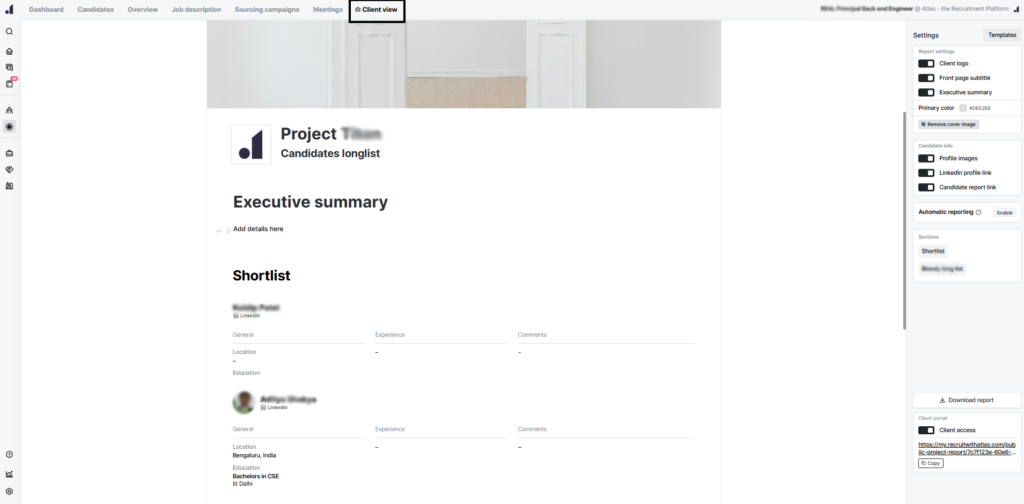
First of all, you need to create a list of the top candidates you selected after the interviews. This is where the Client View feature in the Atlas recruitment platform becomes especially helpful for candidate presentation. Inside Atlas, you can add all the candidates you want into a longlist, including their statuses, photos, names, social media links, and detailed career paths and experience.
In that list, you can also add candidates manually and place them in any stage you want, for example, Final Interview, 1st Round Interview, or any custom stage you create. You can fully customize the presentation: change the title of the file, upload any cover image you want, add the logo of your company or your client’s company, and choose the color theme. You can also add a summary at the beginning, and all these elements update in real time.
The benefit of this setup is that if you’ve shared the list with your client and they have online access, they can comment at any moment, and you’ll receive a notification immediately. The purpose is to have a unified, all-in-one platform for both you and the client.
You can also include candidates you interviewed but rejected, so the client can see the full scope of your work, as well as the candidates you recommend. Each profile can include comments, giving the client extra context for every candidate, including insights on any particular topic discussed during the interview.
Once your list is ready, you can share this page directly with your client. They can access it anytime and view all the information they need, such as the candidate’s experience, the salary they are asking for, current compensation, and any other details you want them to know.
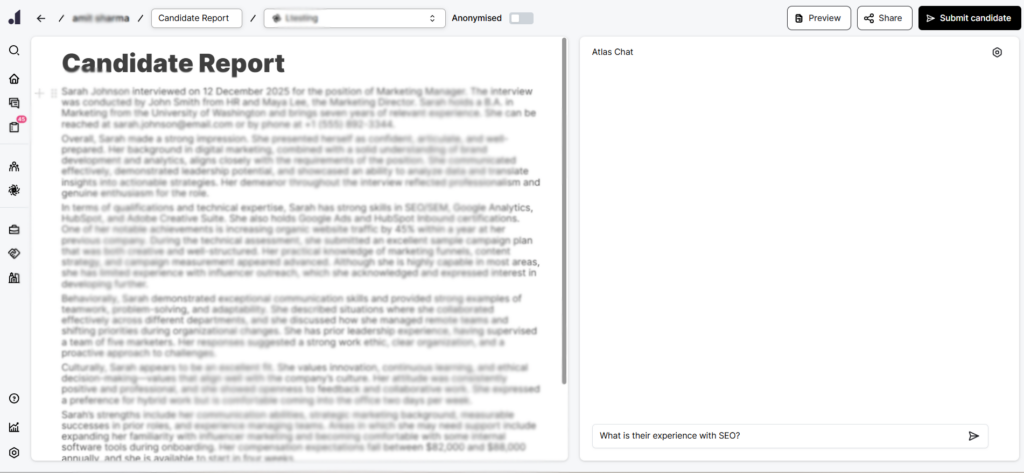
Another important feature is the ability to create a well-structured report for each candidate individually. With Atlas, you can open any candidate’s profile and generate a comprehensive report. You can ask GPT any questions you need, and it will provide accurate key points and produce a polished candidate report based on the transcript recorded during the interview.
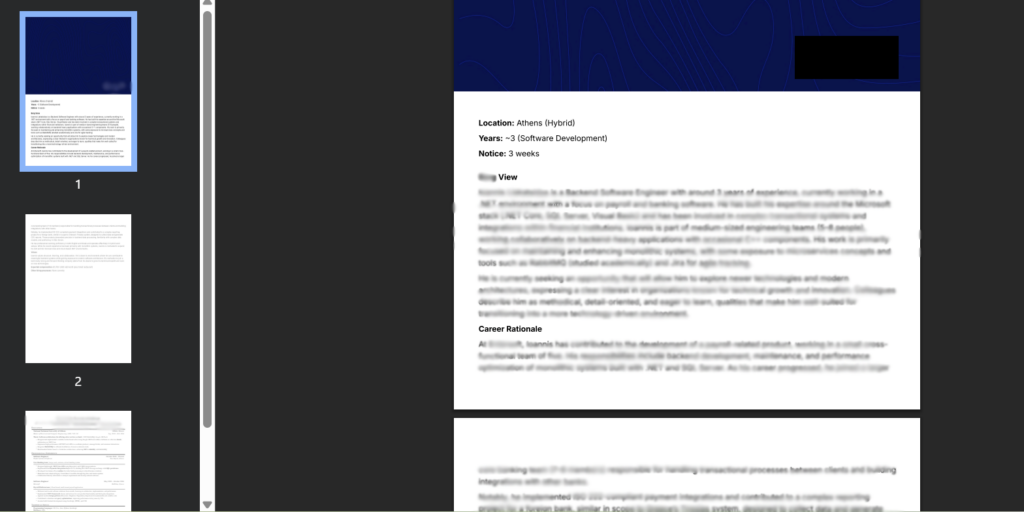
Once the report is finished, you can attach the candidate’s CV and download the complete file as a PDF. You can then share it with the client through your preferred communication channel or simply send them a link so they can view the candidate presentation directly on the platform.
By using Client View feature, you can avoid creating separate document presentations or PowerPoint files, since all candidate information is already organized and professionally displayed for the client.
What are the Benefits of Effective Candidate Presentation?
Presenting your candidates in the right way can make a big difference in how quickly and successfully you fill a role. An effective candidate presentation:
Speeds up Decision-Making
When you schedule video calls with clients to present your top candidates, the hiring process moves faster. A clear candidate report and a well-prepared CV make it easy for clients to decide and move straight to interviews, bringing you closer to a successful placement. Using engaging interview presentations also increases audience engagement, keeping clients focused and interested in your candidates.
Increases Revenue
Well-organized reports and clear CVs make clients more likely to consider multiple candidates. The more candidates they review, the higher your chances of making placements, which directly increases your revenue.
Improves Time-to-Fill Rate
Effective interview presentations save time for both you and the client. By giving structured information and concise reports, you reduce delays and help positions get filled more quickly.
Builds Trust
Professional presentations show clients that you are knowledgeable and reliable. This builds their confidence in you and your recommendations.
Gains Recognition & Generates More Referrals
When clients see your consistent, high-quality work, they are more likely to recommend you to others, helping you get more opportunities and referrals.
How Do You Deliver Strong Interview Presentations to Hiring Managers?
As mentioned earlier, the best way to present candidate profiles is through a video call, supported by your recruiting platform. After completing all the necessary preparation, it’s helpful to create a few bullet points for yourself. These key points will help you stay organized and ensure you cover everything while presenting the list.
Solid preparation, including research on both the role and the client’s business, is essential to creating an impactful presentation.
Focus on why you liked each candidate, and also note the areas where they may be lacking. It’s important to be honest with your client from the beginning. For example, if you really like a candidate and believe they are a great match but they are missing one specific skill, share that information with the client. Present it as something to be aware of, not as an obstacle, so they have a complete and balanced view of the candidate.
On interview day, when giving presentations to hiring managers, it’s critical to align each candidate with the specific criteria the client values, so that the team can make faster and more informed hiring decisions.
If the client meeting is in person, during the presentation, maintain strong eye contact to keep the client engaged and convey confidence. Use your communication skills and public speaking skills to clearly explain the candidate’s abilities and how they match the job description. Treat the presentation like a sales pitch, highlighting the candidate’s strengths and showing the client why they are the right choice for the job.
Taking a moment for deep breaths before a client call can improve your focus and your ability to clearly talk through each candidate’s profile.
The Ideal Match: AI Recruitment Technology and Your Presentation Skills
Ultimately, presenting your candidates effectively comes down to communicating the right things as a recruiter, highlighting their strengths, emphasizing the selling points that truly matter, and advising your client with clarity and confidence. In conclusion, even the best recruiters need support to handle every task efficiently and to meet what clients expect from the hiring process.
With multiple top candidates in your pipeline, it’s essential to keep everything organized, accessible, and easy to track. A well-prepared candidate presentation ensures that the interview panel has all the information they need to evaluate candidates efficiently. That’s where reliable recruitment software becomes essential during the interview process.
It helps you store key information, manage the entire process seamlessly, and ensure that both your clients and candidates enjoy a smooth, professional experience, making those dream hires not just possible, but effortless.

Related news

// Recruitment Technology, Recruitment Strategies
Ocean Red Partners Cuts Admin and Grows Billing by 85% with Atlas
Ocean Red Partners cut tools, streamlined hiring, and increased revenue by 85%—learn how Atlas fuels their future-ready recruitment operation.
07/28/2025
5 MIN

// Recruitment Technology, Recruitment Strategies
4 Ways Recruitment Automation Frees Up Your Time for High-Value Work
Find out how recruitment automation reduces manual tasks, boosts efficiency, and frees recruiters to focus on strategic, high-value work.
11/17/2025
8 MIN

// Recruitment Technology, Recruitment Strategies
5 Ways an AI Interview Transcript Transforms Your Recruitment
Discover how AI note-taking and interview transcripts save time, improve focus, and make every interview smarter.
11/06/2025
5 MIN